Real-time editing · Connected AI New Apps for Mac, Windows, iPhone, and iPad

Docs, boards, and your team's brain. All in one place.

For teams that think together — with your people and AI on the same page.
Download
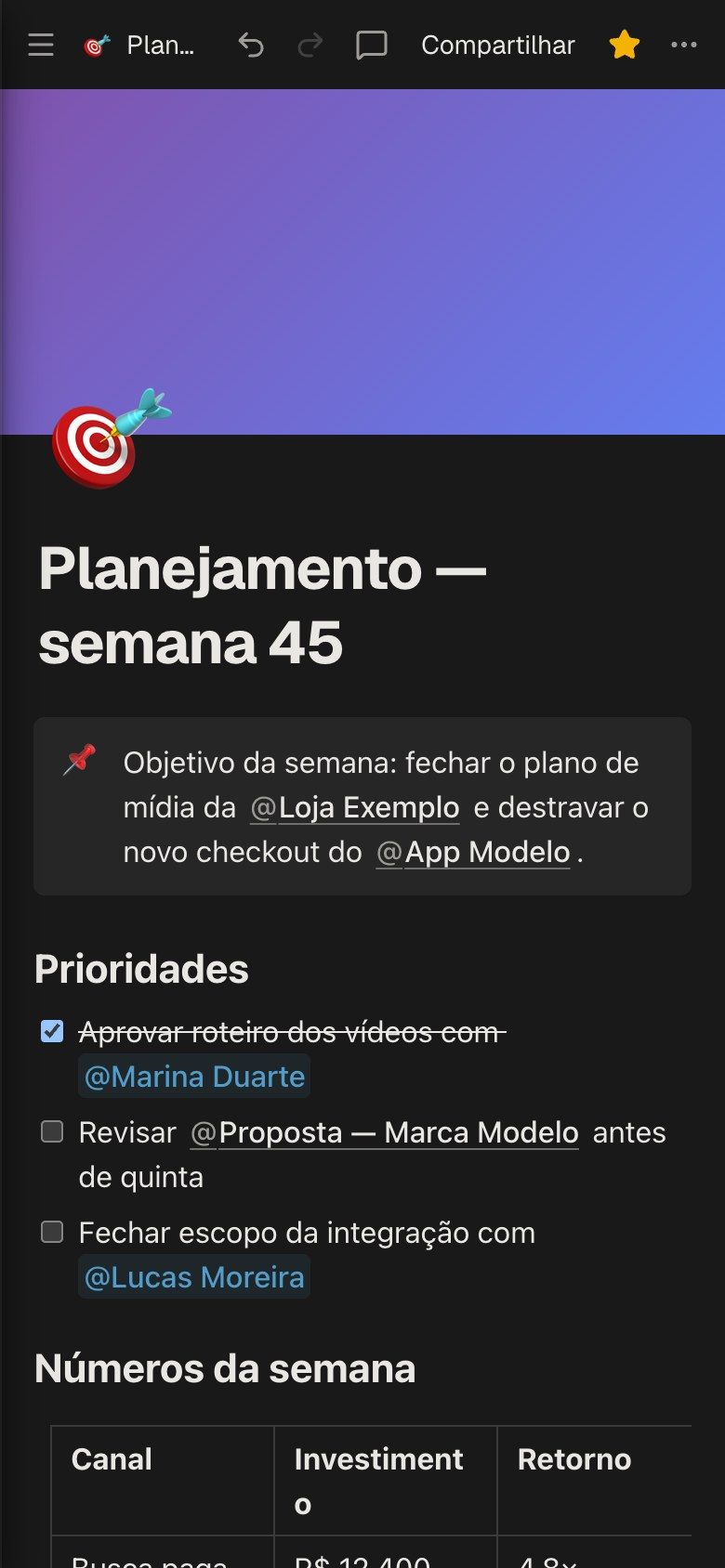
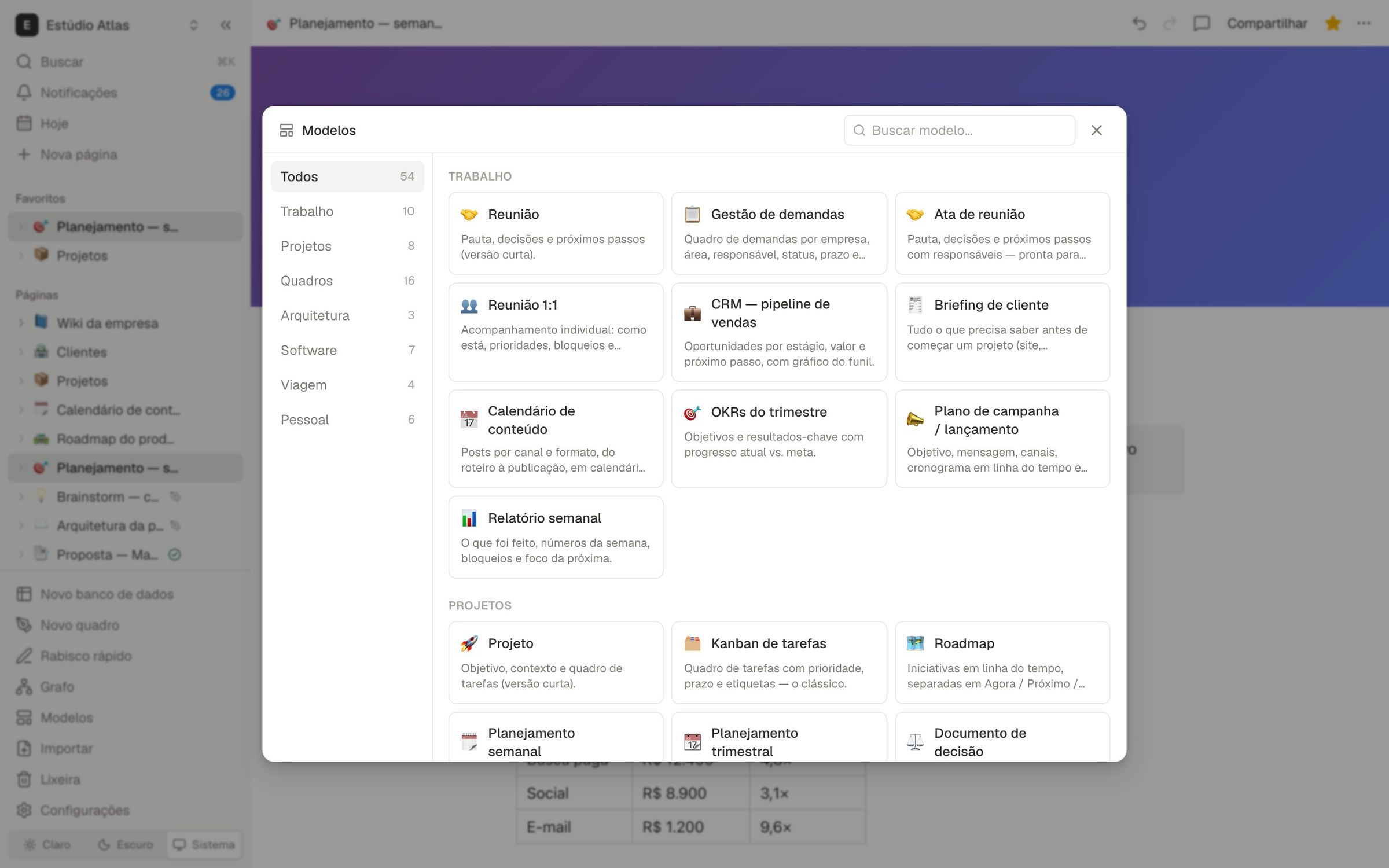
Notas page with a cover, a callout, tasks with mentions, and a table
Marina
João
AI
Pages/Databases/Infinite boards/Real time/806 AWS icons/54 templates/Second brain for AI/Restricted pages/Graph/Apple Pencil/ Pages/Databases/Infinite boards/Real time/806 AWS icons/54 templates/Second brain for AI/Restricted pages/Graph/Apple Pencil/
01 — Who it's for

From SaaS to agencies.

For teams that work with technology, AI, and people — all in one place.

AgenciesThe brain behind every brandTone of voice, strategy, moodboards, and everything your agency learns.See Notas for agencies → SaaS and productDocumentation and architectureVerified specs, decisions, and AWS diagrams — your product's context.See Notas for SaaS →
SalesPlaybook and proposalsSales wiki, proposals from templates, and sales flows on the board.
OperationsProcesses you can trustOnboarding and policies with a verified badge and a review date.
LeadershipTruly confidentialRestricted pages that vanish from search and AI.
PersonalYour second brainJournal, linked ideas, and study notes, all in the same account.
02 — Pages

Write. Link. Find.

Type “/” for any block, “@” for people and pages, ⌘K to find anything.
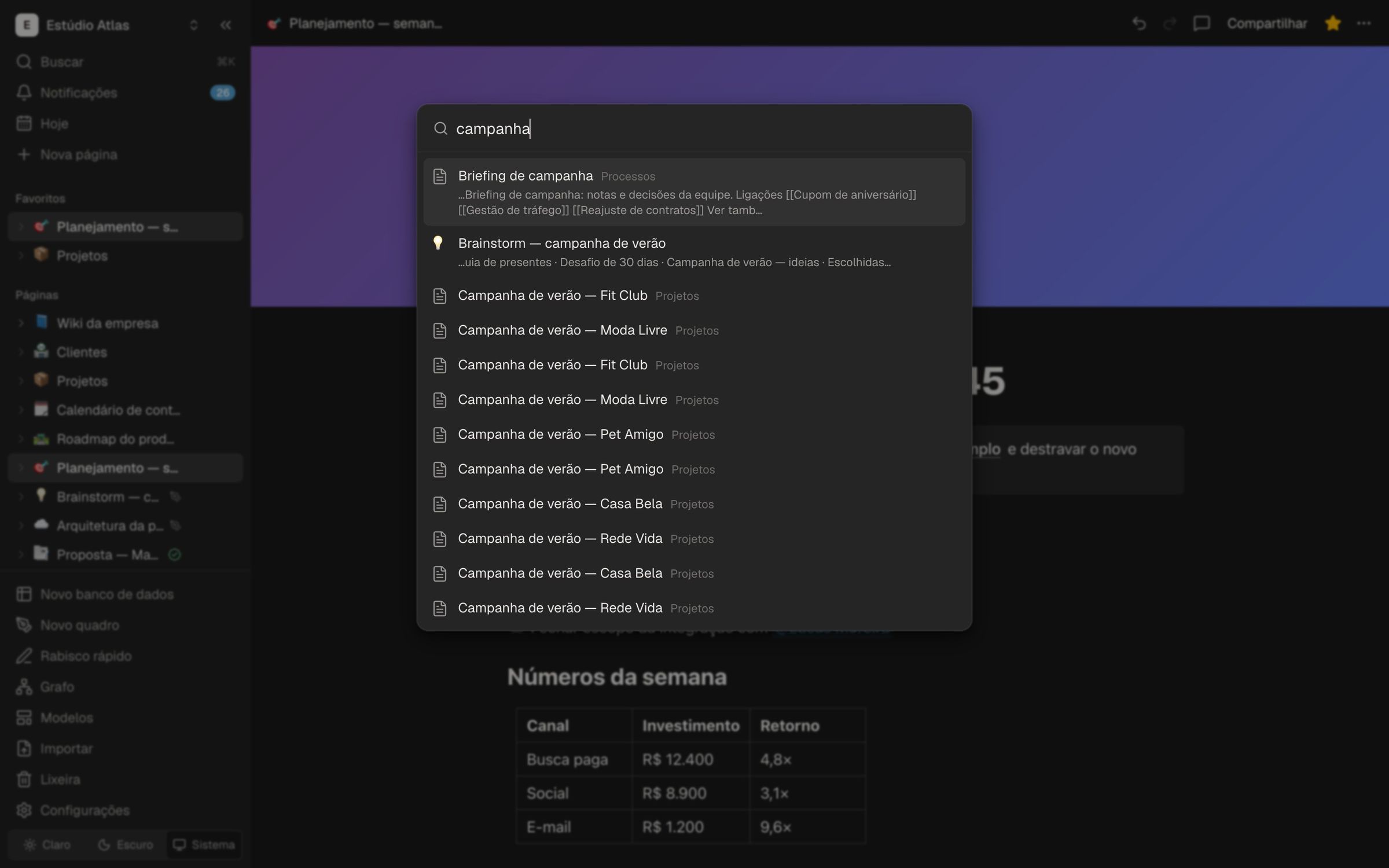
Quick search showing pages and projects
Notas on mobile
16 block typestables, columns, code, video, maps
Inline commentswith replies and mentions
Version historygo back anytime
On phone and iPadinstall it as an app
03 — Real time

The whole team, live.

Named cursors, edits that merge on their own, and automatic reconnection.

34 msfrom keystroke to screen
0conflicts
Offlineand it all syncs up later
Planning — week 45
M J P
Decisions
Summer campaign starts on the 18thMarina
João
Paula
04 — Boards

An infinite board, right next to your docs.

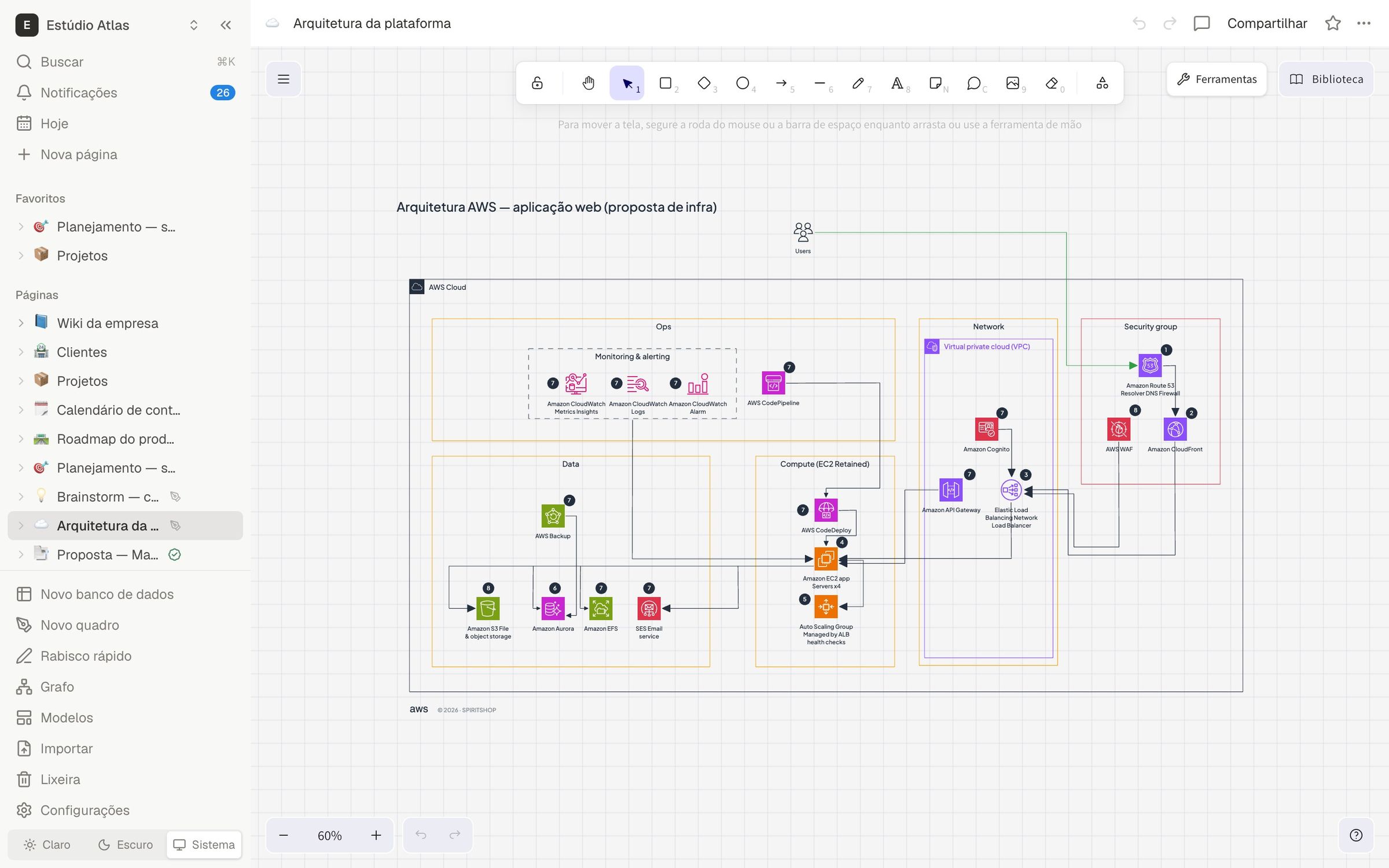
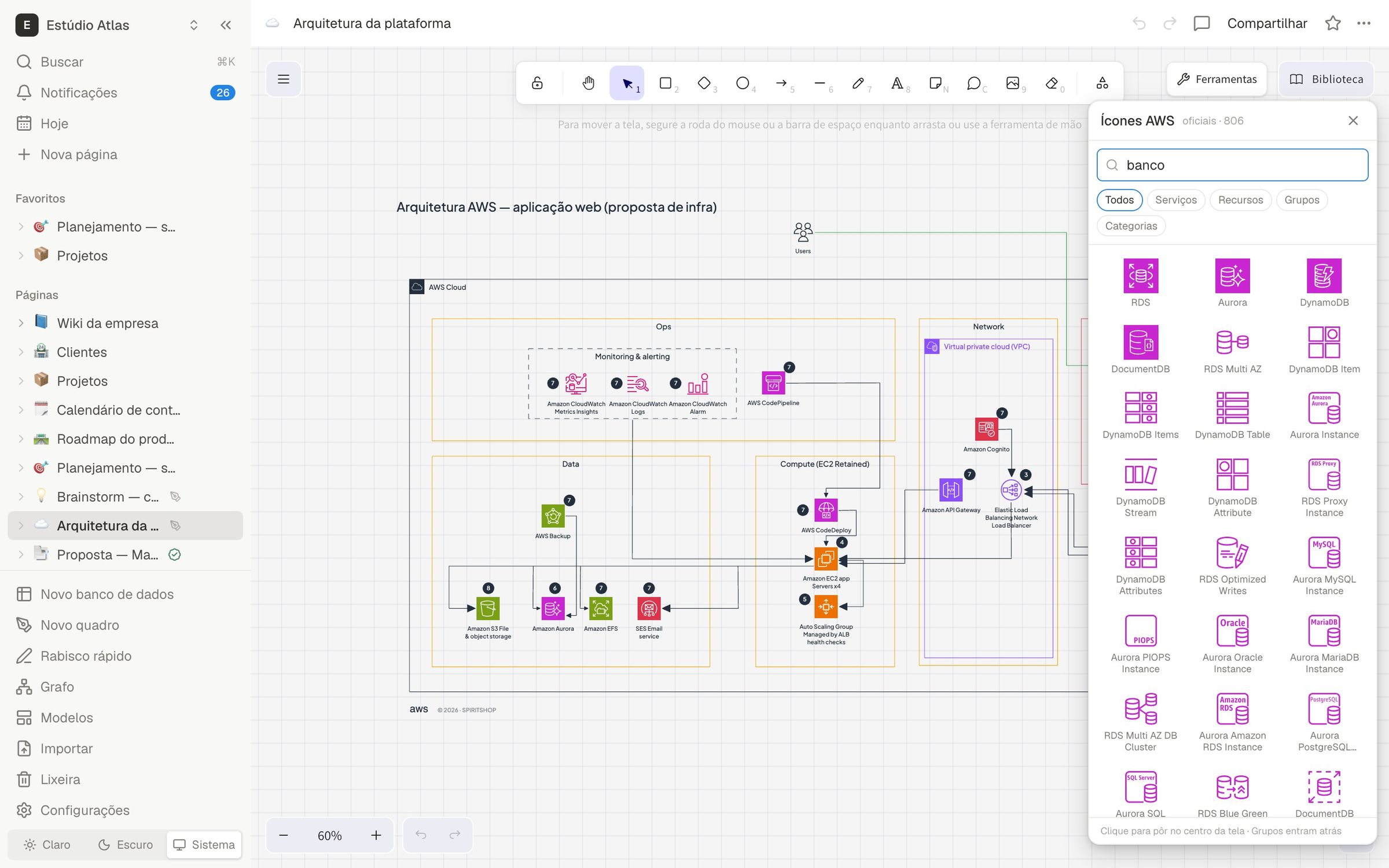
Brainstorms, flows, slides, and architecture with the official AWS icons — drawing together.
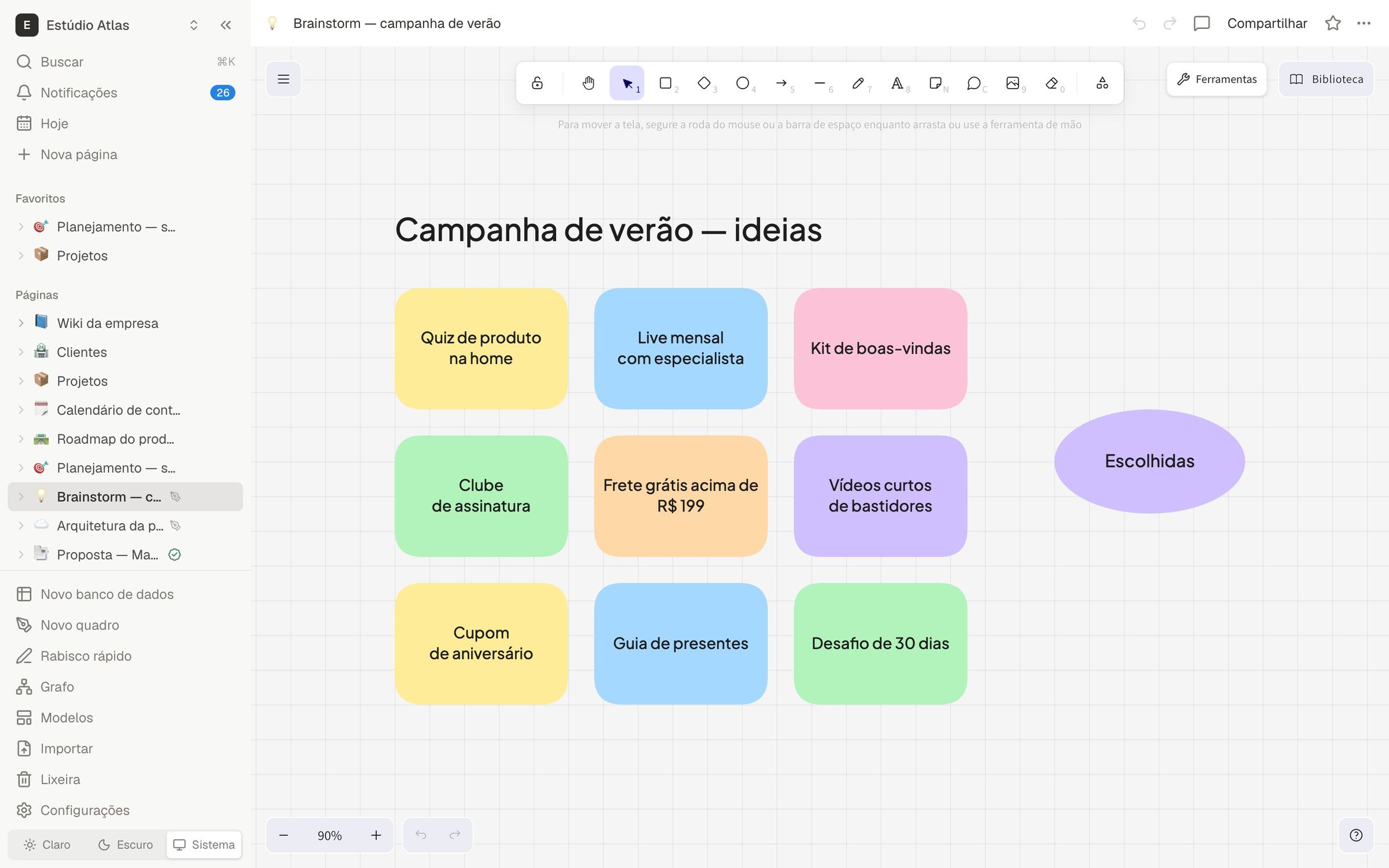
Brainstorm board with sticky notes AWS architecture diagram AWS icon panel with built-in search
iPad + Apple Pencil

Meeting on the iPad. Sketch right on top of what matters.

Pen mode turns on by itself the moment Apple Pencil touches the screen. Everyone sees every stroke live.
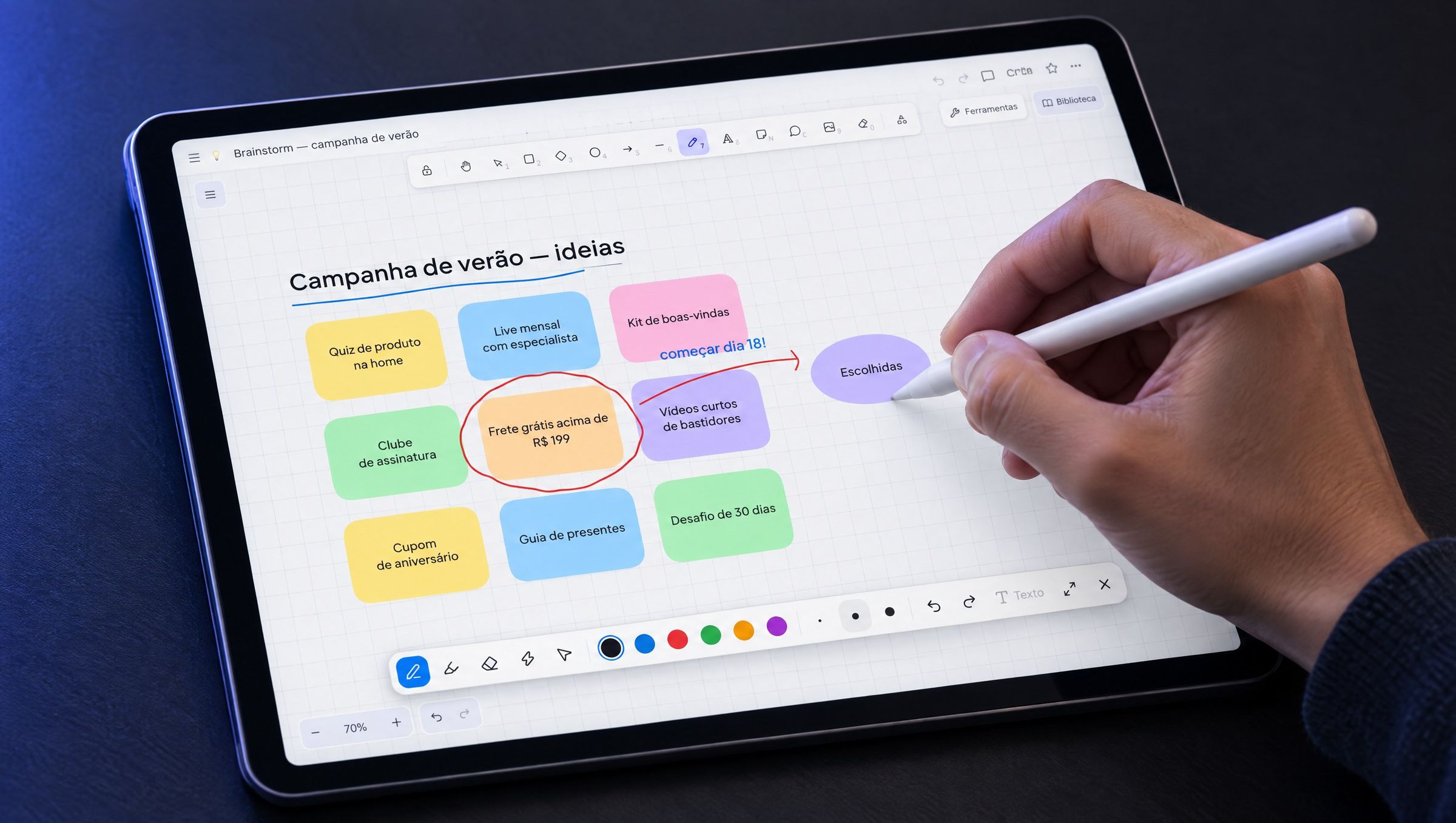
Hand with an Apple Pencil drawing on a Notas board on iPad ✎ The pen writes ☝ Your finger selects and moves Aa Handwriting → text, with AI
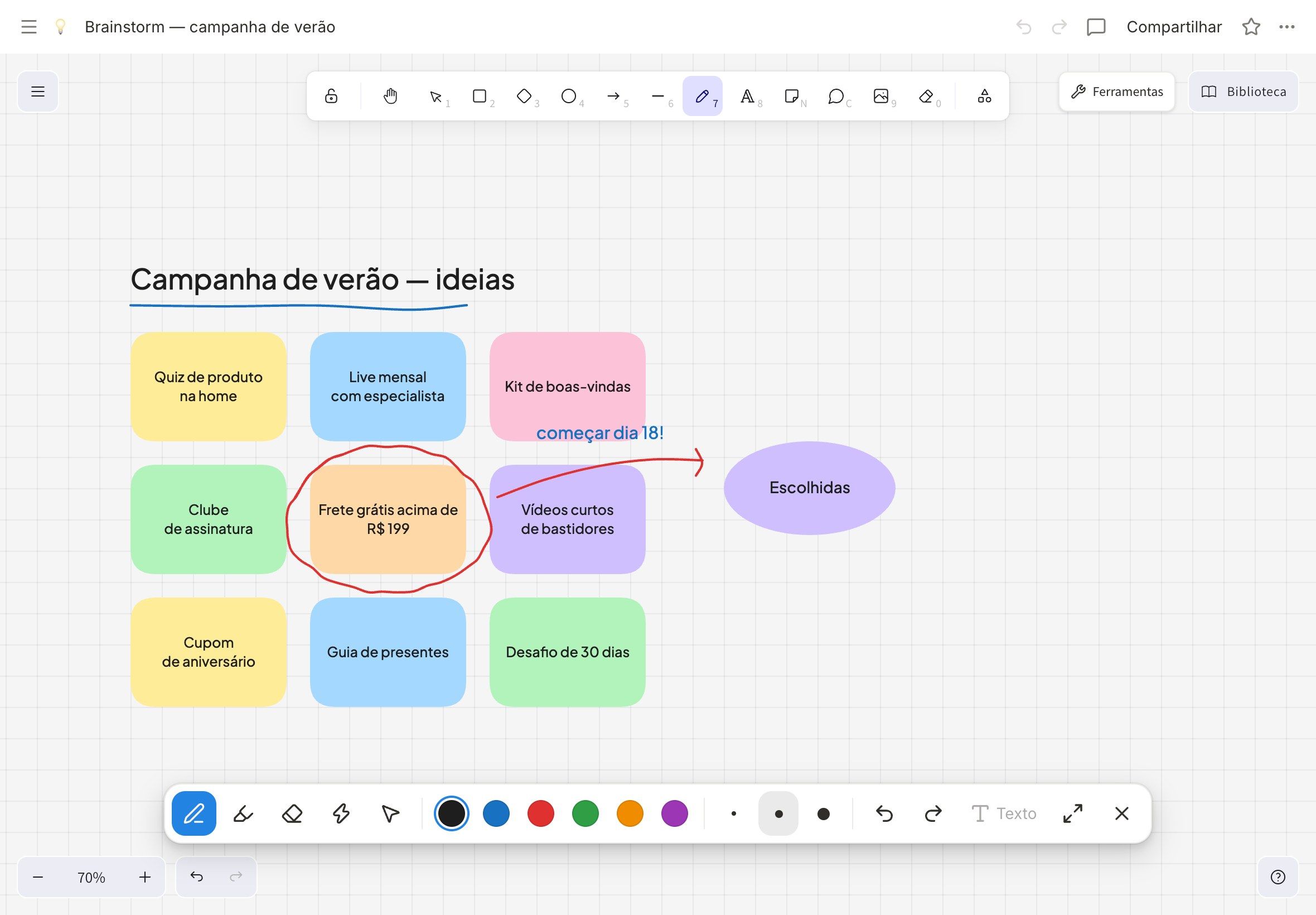
Board in pen mode, with the Apple Pencil toolbar
01
Pressure and natural strokesFine, medium, and bold, six colors, highlighter, and eraser.
02
Pen and finger, kept separateThe Pencil always writes; your finger selects, moves, and zooms.
03
Laser for presentingPoint things out in meetings without marking up the board.
04
Handwriting becomes textAI transcribes what you wrote by hand.
Artboards become slidespresent and export to PDF or PPT
Pages as cardsdrag from the sidebar
Laser and highlighterto present and highlight
25 librariesflowchart, BPMN, wireframe
05 — Spaces and permissions

Every page, with the people who need it.

Multiple spacesSeparate companies, branches, or clients — plus a personal space.
Roles and groupsOwner, admin, member, and viewer; groups by department.
Restricted pages“Can edit” or “view only,” inherited by subpages.
Verified pagesA badge with a review date; first in search and in AI.
06 — Second brain for AI

Your team's second brain. And your AI's.

Everything your team writes becomes context your AI looks up, cites, and updates — no copy-pasting into the chat.
✦AI Contextread first
▤Wiki · Onboarding✓ verified
▤Processes · Creative approval✓
◷Meeting · Loja Exemplo
▤Tone of voice · Marca Modelo✓ verified
▦Projects · 40 items
▦Clients
AIvia MCP
What's Marca Modelo's tone of voice? search · read_page ×3 · 1 verified
01WriteMeetings, processes, and decisions become pages — instead of getting lost in chat.
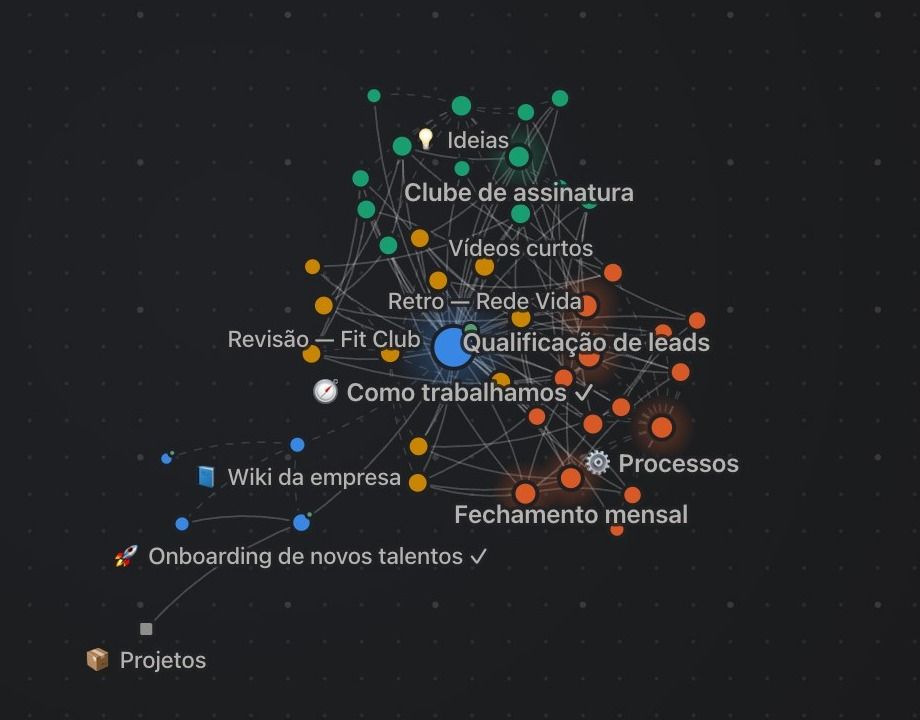
02Link@mentions and links form the graph. AI follows the thread from page to page.
03VerifyThe badge marks the official source, with a review date. AI prefers those.
04AskFrom Claude, Cursor, or any other AI with MCP. It searches, cites, and writes back.
MeWhat did we decide with Loja Exemplo this month? Create the missing tasks.
get_context · search · read_page ×3
add_database_row ×2 → Projects
AIThey approved the summer campaign and pushed the window display to December (Oct 12 meeting). I created “Biweekly report” and “Adjust window display schedule.”
Graph of linked pages, color-coded by area
The real graph of your space
17 tools, ready to go. Connect once in Settings → Connect AIs. The AI uses your key — it sees only what you see, and you can revoke it anytime.
readsget_contextsearchread_pagerelated_pagesquery_databaselist_pagesrecent_pageslist_comments
writescreate_pageupdate_pageadd_database_rowupdate_database_rowadd_commentdaily_notecreate_boardmove_pagetrash_page
07 — In practice

An AI that knows how you work.

Every team asks the AI what they used to ask a coworker — and the answer comes with the source page.

OnboardingHow does creative approval work here?search · read_pageAnswers from the verified process and sends the link.
AgencyWhat's Marca Modelo's tone of voice?read_page ✓Uses the brand guide, not a guess.
SalesPut together a proposal for Café Central based on the last few.search · create_pageCreates the page, ready for review.
ProductWhat have we already decided about checkout?search · related_pagesPulls together linked specs, meetings, and decisions.
ManagementWhich projects are behind, and who owns them?query_databaseFilters the Projects database instantly.
Daily routineLog a summary of this call and let Paula know.daily_note · add_commentWrites to the daily note, and the mention becomes a notification.
✦AI Contextread first
• Reply in English, and get to the point. • Clients go in the Clients database; projects, in Projects. • When in doubt, prefer verified pages. • When creating tasks, assign an owner.
One page with the house rules. Every connected AI reads it before getting started.
✓Sees only what you seeThe key acts as you.
✓Restricted stays restrictedNo access means not even their AI can find it.
✓Verified firstAnd it flags anything expired.
✓Always with the sourceEvery answer cites the page.
08 — Comparison

One place instead of four.

What each tool does well — together, connected, and with AI built in.

NotasNotionMiroEvernoteObsidian
Docs with blocks, “/” and @mentions✓✓basic✓✓
Databases with kanban, calendar, and timeline✓✓table and kanban—Bases
Infinite board✓—✓—✓Canvas
Docs, databases, and boards linked in one space✓———not real-time
Real-time editing with cursors✓✓✓partial—
Knowledge graph✓———✓
Verified pages with review dates✓paid plans———
AI connected via MCP, reading and writing✓17 tools✓✓—plugins
Official AWS architecture icons✓806—✓——
Data in your own database✓Postgres———✓local files
Full backup in Markdown✓✓—proprietary format✓
Based on features published by each tool as of October 2026, on standard plans. Third-party features change often. Notion, Miro, Evernote, and Obsidian are trademarks of their respective owners.
09 — And much more

One database. Seven ways to see it.

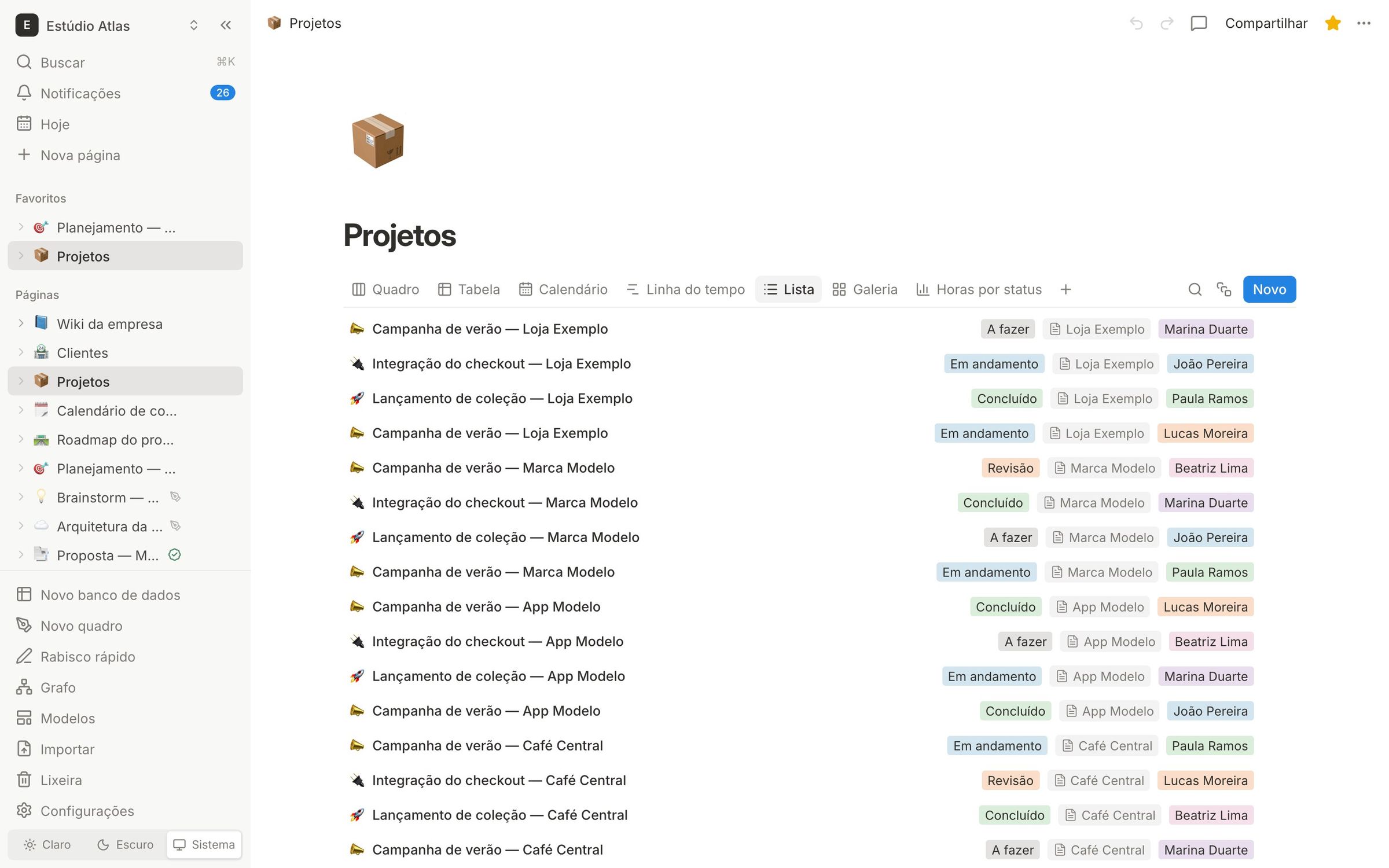
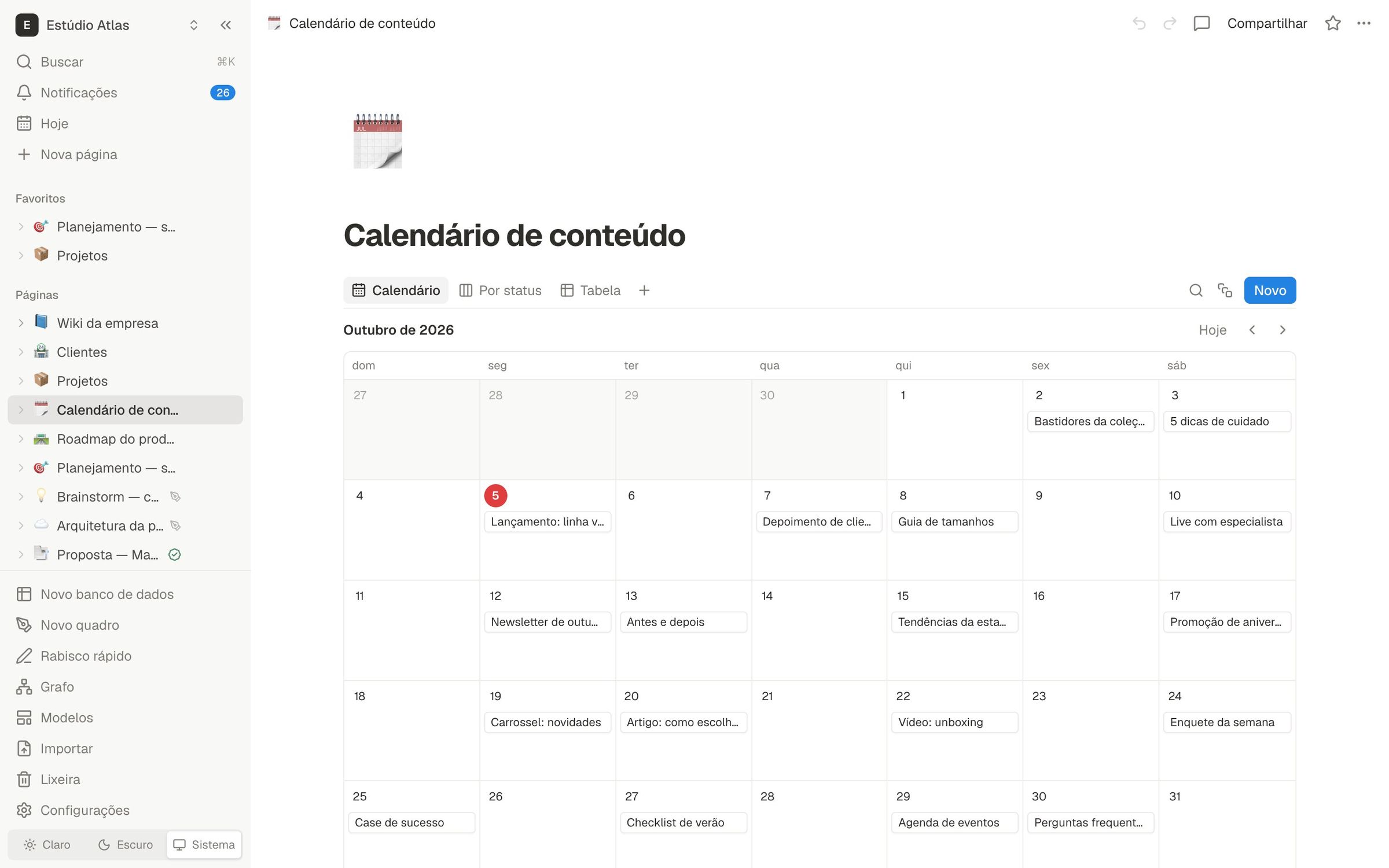
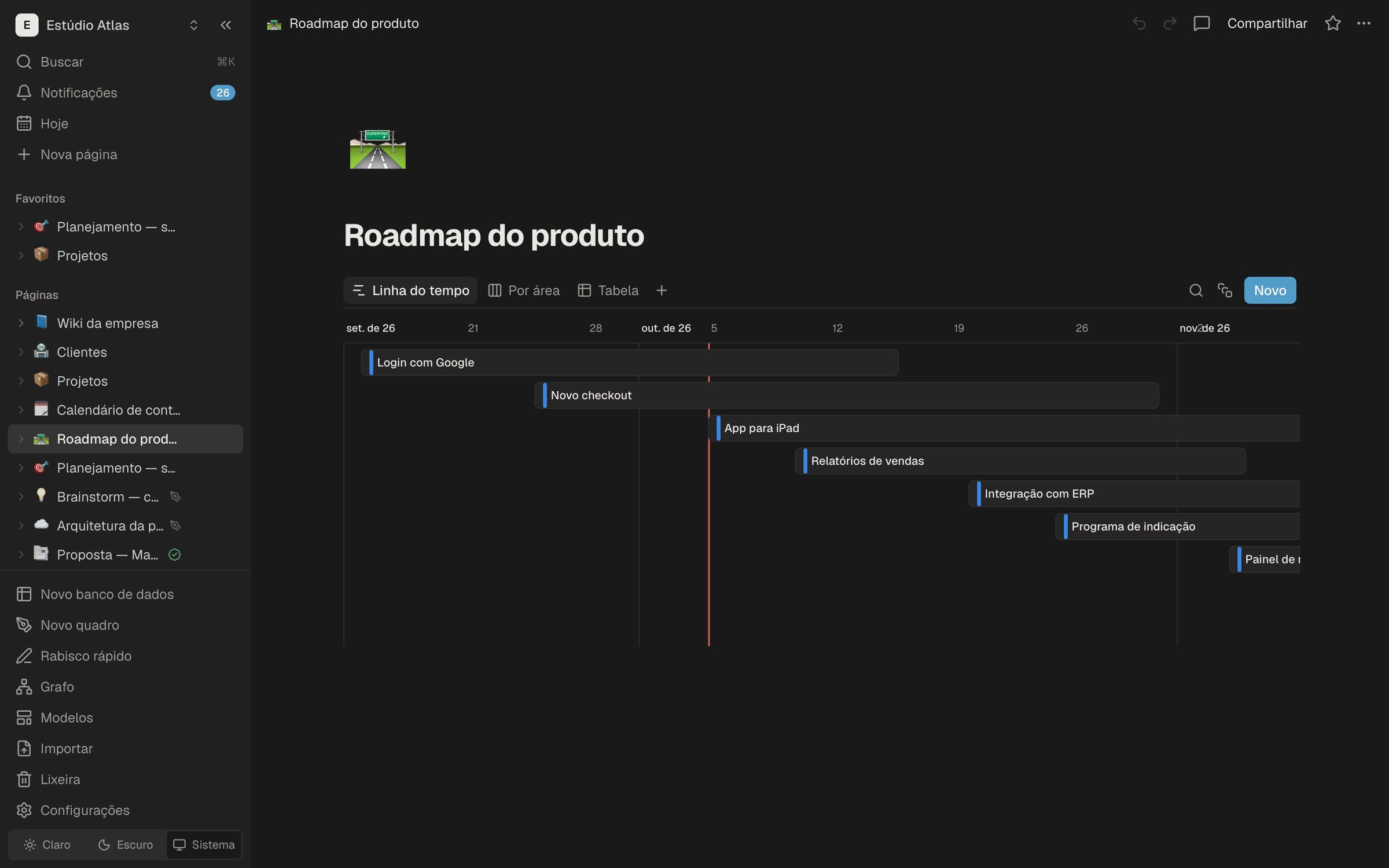
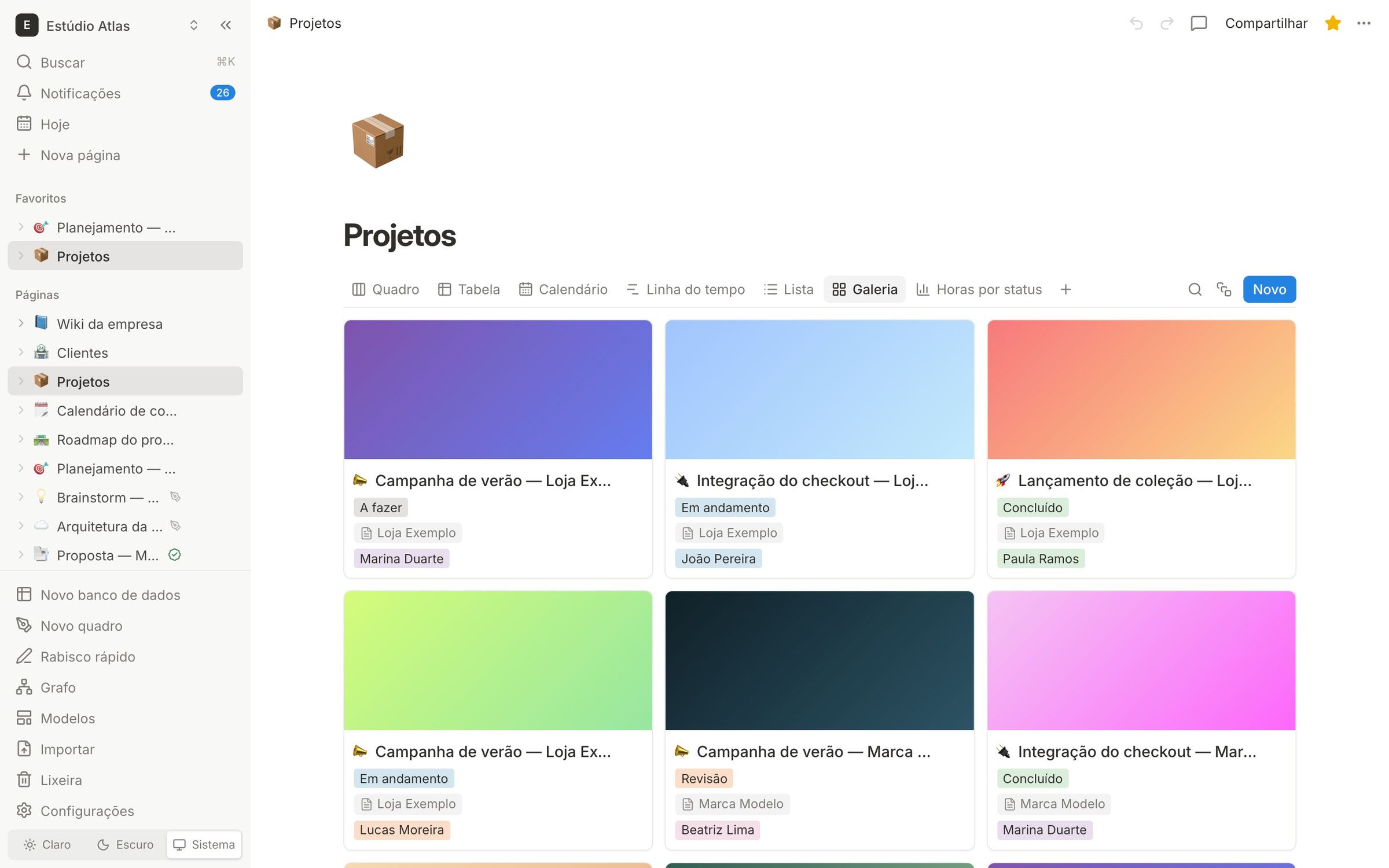
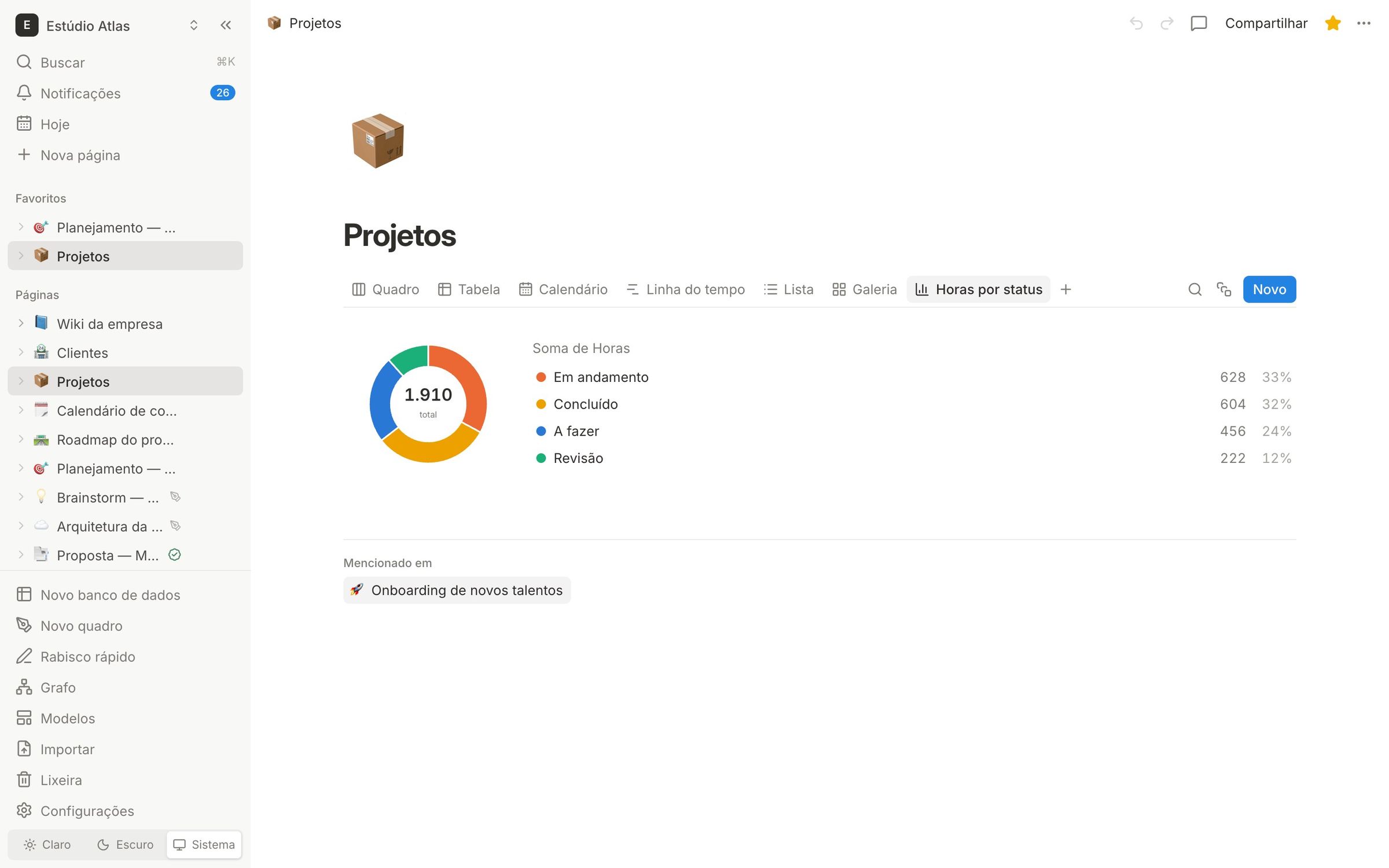
Notas doesn't want to be your task manager. But when a database is the answer, it's right here: board, table, list, calendar, timeline, gallery, and chart views of the same data, with relations and automatic totals.
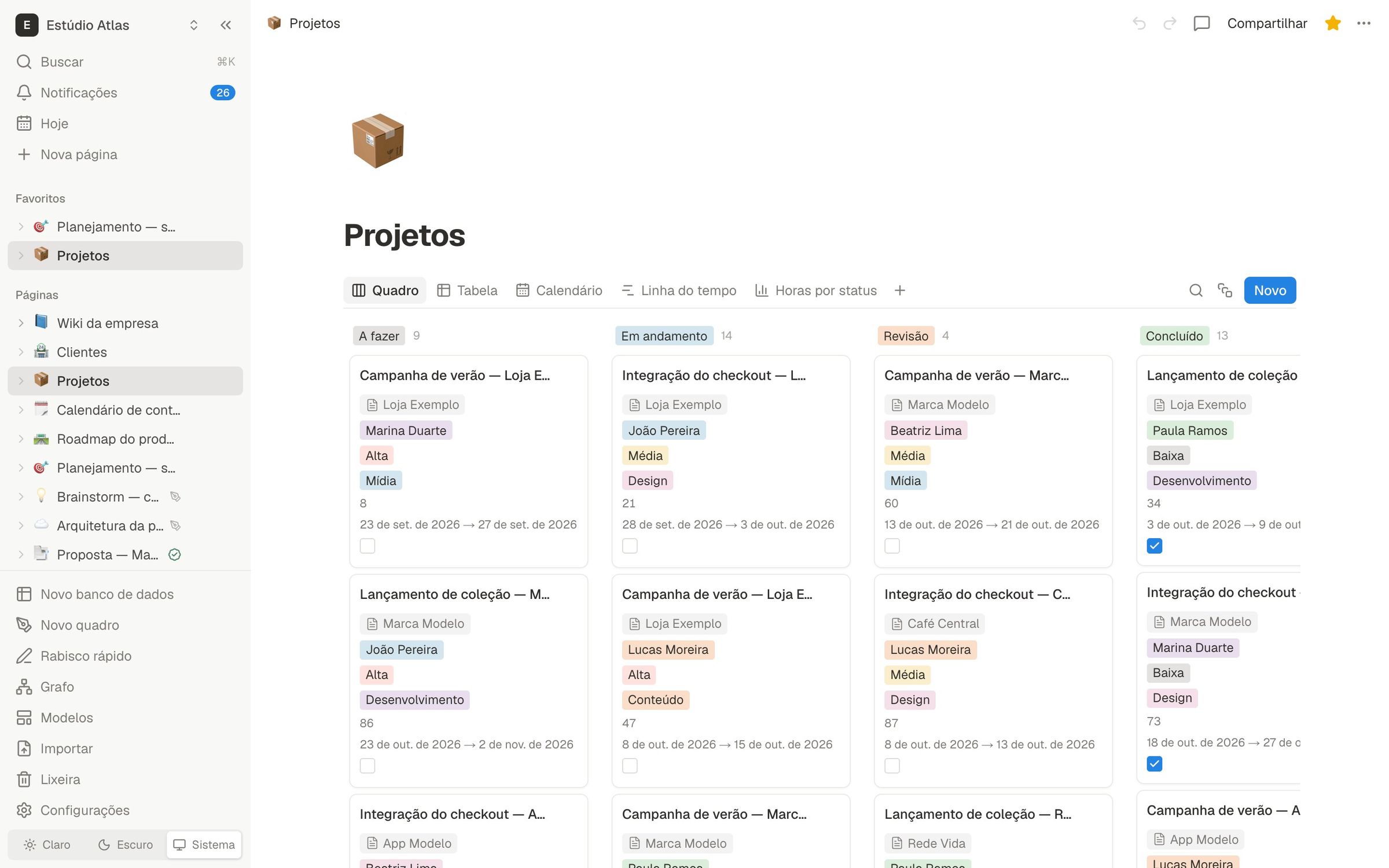
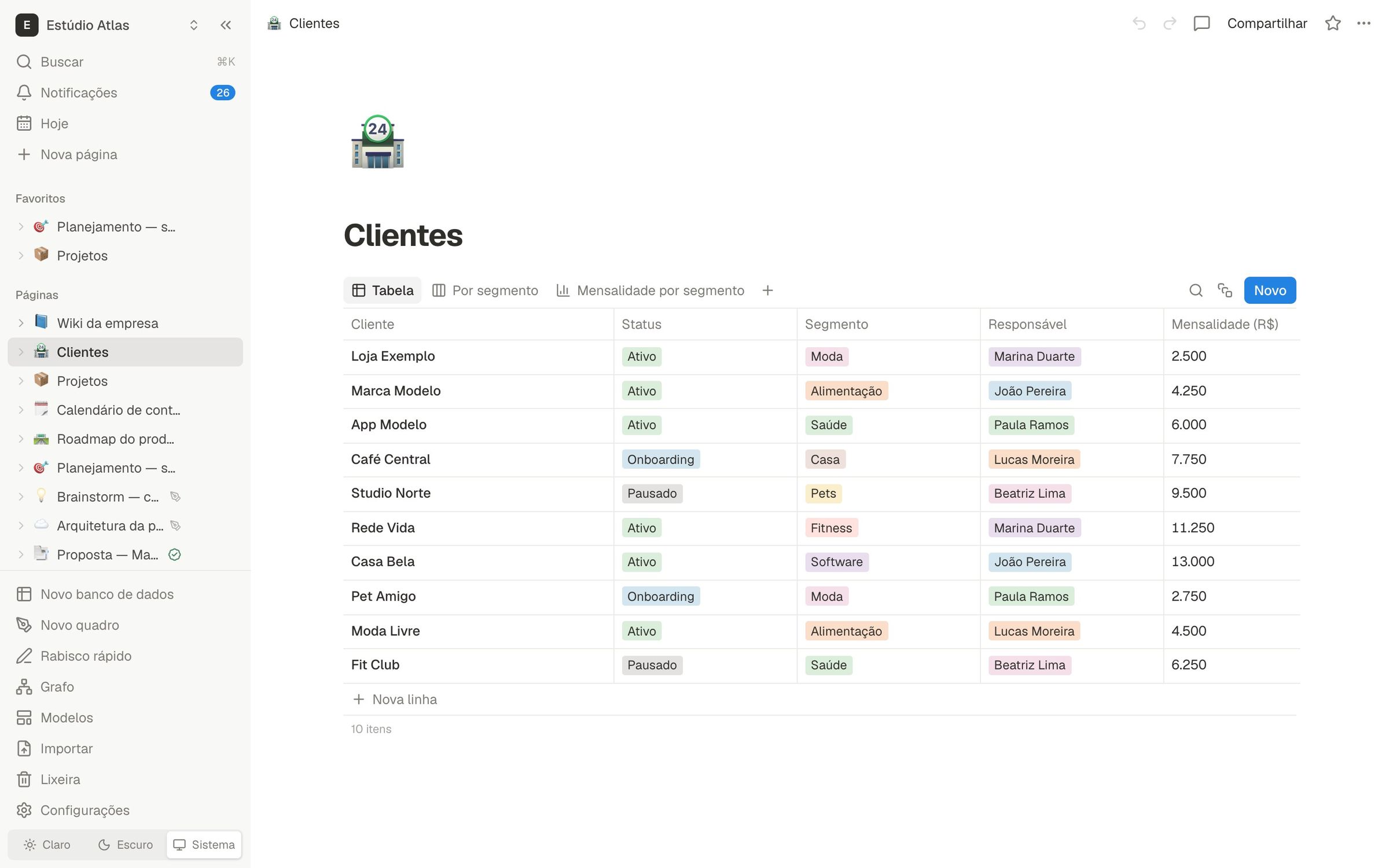
Projects on a kanban board by status Client table with relations and totals Projects in a list Content calendar Roadmap on a timeline, in dark mode Projects in a gallery with covers Chart of hours by status
7 views · the same data · switch in one click
10 — Import

Switch without starting from scratch.

Bring what you already have and pick up where you left off.

before
Notiondocs and databases
Miroboards
Evernotenotes
Obsidian.md files
Spreadsheets.csv
import →
AAtlas Studioafter
▤Company wiki
▦Clients
▦Projects
✎Brainstorm — campaign
✎Platform architecture
◷Meeting notes
in the appMarkdown and CSVDrag in files from Obsidian, Evernote, ChatGPT, or a Notion export. Spreadsheets become databases.
assisted migrationAll of NotionPages, subpages, databases, links, and images — with the structure intact.
assisted migrationMiro boardsShapes, sticky notes, text, and connectors arrive as editable elements.
alwaysAnd if you want to leaveFull .zip backup, in Markdown, anytime.
11 — Integrations

Works with what you already use.

CClaudeMCP
The official Notas connector. Ask, create, and edit pages right from the chat.
✦Our own MCP + APIopen
Cursor and other AIs with MCP, or your own scripts via the REST API with read or write keys.
CClickUpvia Claude
In the same conversation, Claude reads the meeting in Notas and creates the tasks in ClickUp.
FFigmaGGoogle DocsGGoogle DriveGGoogle MapsLLoomMMiroYYouTubeVVimeoSSpotifyCCodePenXXPPDFFFigmaGGoogle DocsGGoogle DriveGGoogle MapsLLoomMMiroYYouTubeVVimeoSSpotifyCCodePenXXPPDF
GSign in with Google@Company domainUUnsplashAAWS iconsMMarkdownCCSVPPowerPointPPDF{REST API✦MCPGSign in with Google@Company domainUUnsplashAAWS iconsMMarkdownCCSVPPowerPointPPDF{REST API✦MCP
12 — Templates

Start from a template.

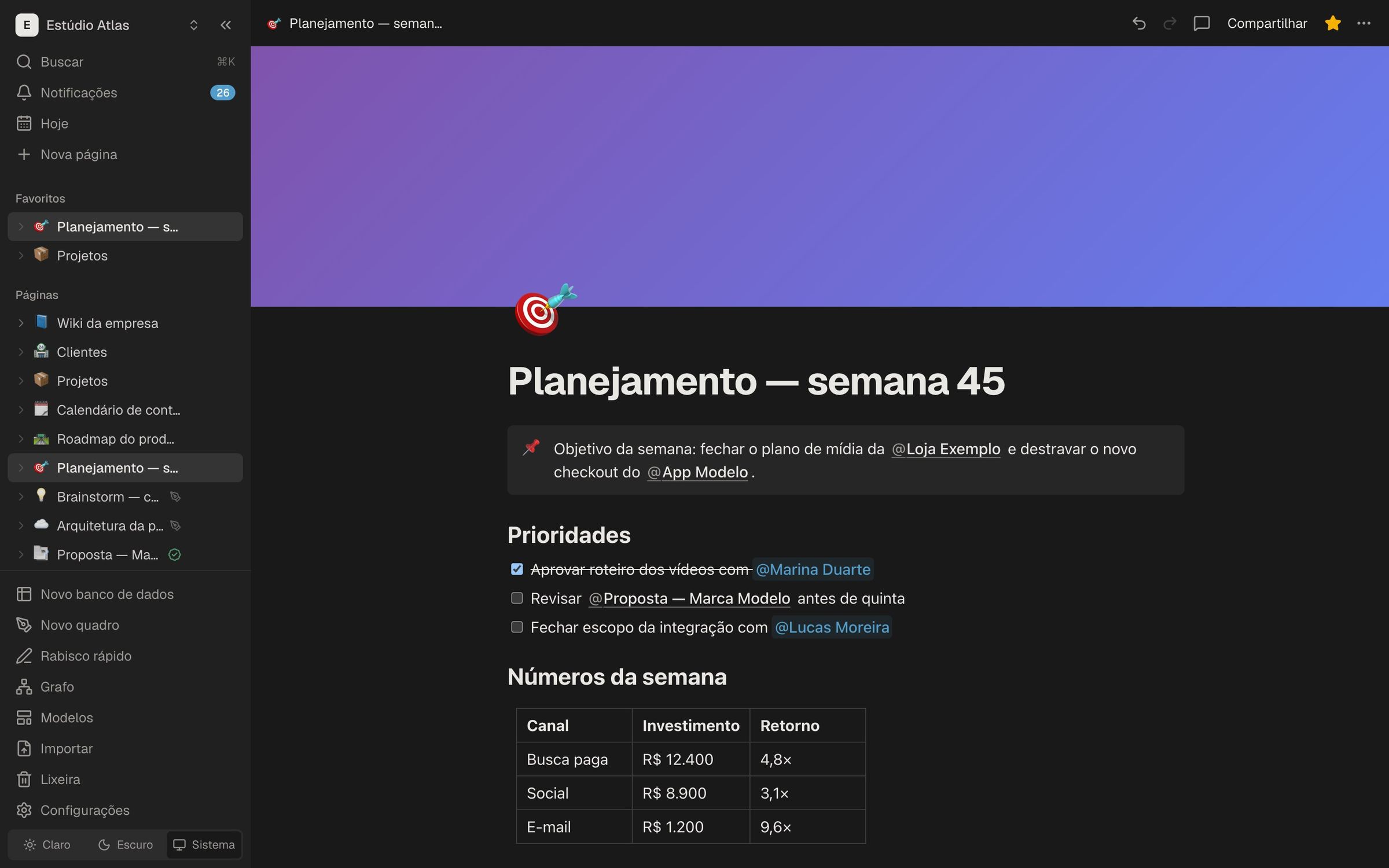
54templates
806AWS icons
25libraries
Template gallery by category
Team gathered around a table, one person drawing on a tablet with a stylus
Made for teams that think together.

Frequently asked questions

What kind of company is it for?+

Any team whose knowledge is split across docs, spreadsheets, and a separate board — from a small SaaS to an agency or a group of companies.

How many people can edit the same page?+

In our load test, ten people edited together with 34 ms of latency and ended up with the exact same document. If the connection drops, the app reconnects on its own.

Can clients see anything?+

Yes, through a public read-only link to a specific page, with comments if you want. Restricted pages are never made public.

How do I connect Claude?+

In Settings → Connect AIs, create a key and paste the connector URL. The key acts as you and can be revoked at any time.

Can I bring over what I have in Notion and Miro?+

Yes. Markdown and CSV files go straight in through the Import button. Full migration from Notion (subpages, databases, links, and images) and of Miro boards is done with our help. And if you ever want to leave, download a full .zip backup.

Does it work on phones and iPad?+

Yes, in the browser, and you can install it as an app. On iPad, boards have a pen mode for Apple Pencil.

Where can I get help?+

The Help center covers everything Notas does and how to use it. To reach us, use Talk to sales, the form at the bottom of this page.

Your team and AI on the same page.

Sign in to NotasTalk to sales
For businesses

Talk to sales.

Rollout, assisted migration from Notion and Miro, team training, and business plans.

✓ A demo built around your use cases✓ A migration plan with zero downtime✓ Setup of spaces, groups, and AI
We'll only use your info to respond to this request.