Your agency's brain.
Strategy, brands, boards and everything your agency learns — in one place, all connected and ready for AI to create in each client's voice.
What your agency knows is scattered. And it walks out the door.
Strategy in a slide deck, the brainstorm in another tool, the tone of voice in a PDF from 2022, the lessons learned in the head of someone who left — and an AI that writes generic copy because it knows none of this.
A brain for every brand.
One page per client with everything that makes the brand what it is — so no one has to ask again.
- A living brand guide: tone of voice, vocabulary, persona and examples — verified, with an owner and a review date
- Campaign history, meetings and decisions linked to the client's page
- Lessons learned: what worked, what didn't and why
- Logins and contacts at hand — and anything confidential, restricted
An AI that writes in each client's voice.
Connect Claude or ChatGPT. Before writing, the AI reads your AI Context and the brand's verified guide — and follows the house rules.
- The whole team uses the same context — not everyone's own one-off prompt
- House rules in the AI Context: what AI can and can't do
- Prefers verified pages and cites the source of every answer
- Only sees what the person who connected it can see
- 1. We waited all year for this heat. The summer collection is here — which look are you grabbing first? ☀️
- 2. Behind the scenes of our shoot: lots of light, hardly any sweaters and zero desire to leave. Spoiler: it drops tomorrow.
- 3. Light, colorful and just the way you asked for it. Want to check out the collection with us?
The caption that made no sense.
A new social media manager asks AI for a caption. See, in 1:46, how Notas makes the answer come out in the brand's voice.
Boards for thinking together.
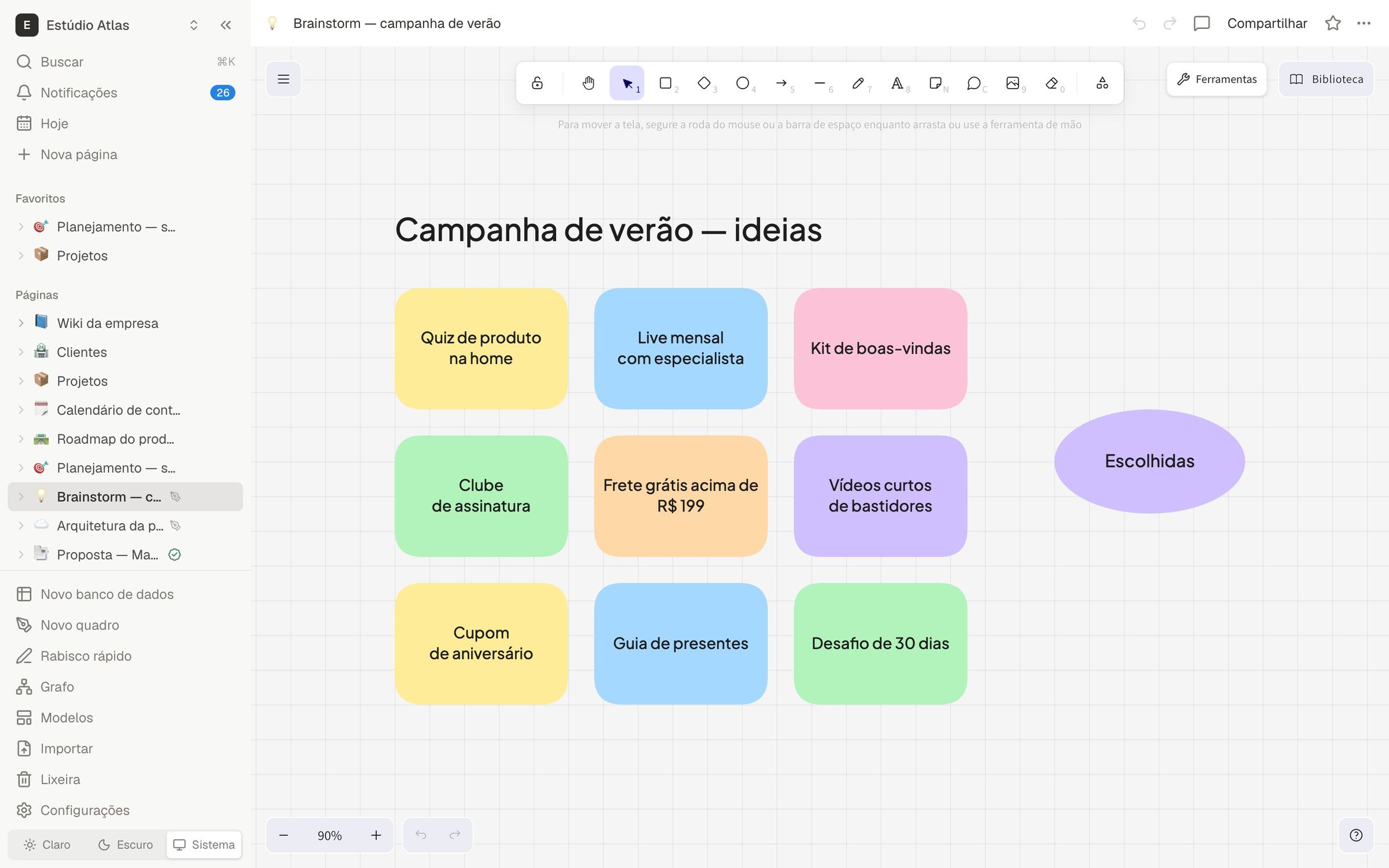
An infinite board right next to your docs: brainstorms, moodboards, customer journeys, funnels, org charts and the campaign map.
- Sticky notes, shapes, connectors, images and flowchart, org chart and wireframe libraries
- On iPad, write with Apple Pencil — perfect for workshops and immersion sessions with clients
- Artboards become slides: present straight from the board, with a laser pointer
- The board shows up as a live card inside the page; export to PDF or PowerPoint
The agency that remembers everything.
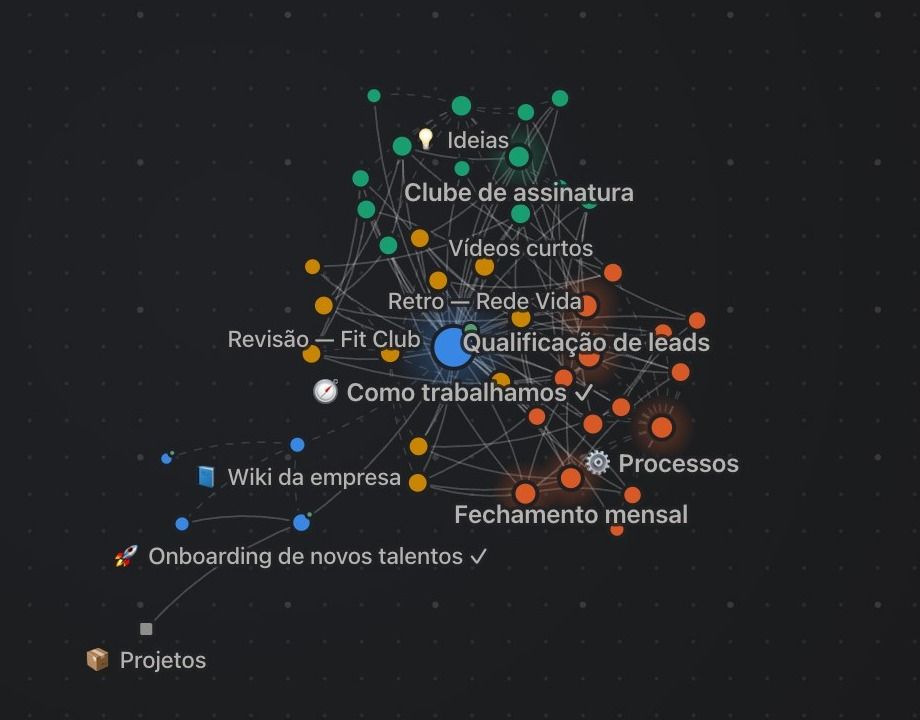
Meetings, decisions, playbooks and lessons learned become your team's second brain — and the context AI checks before answering.
Strategy your client actually reads.
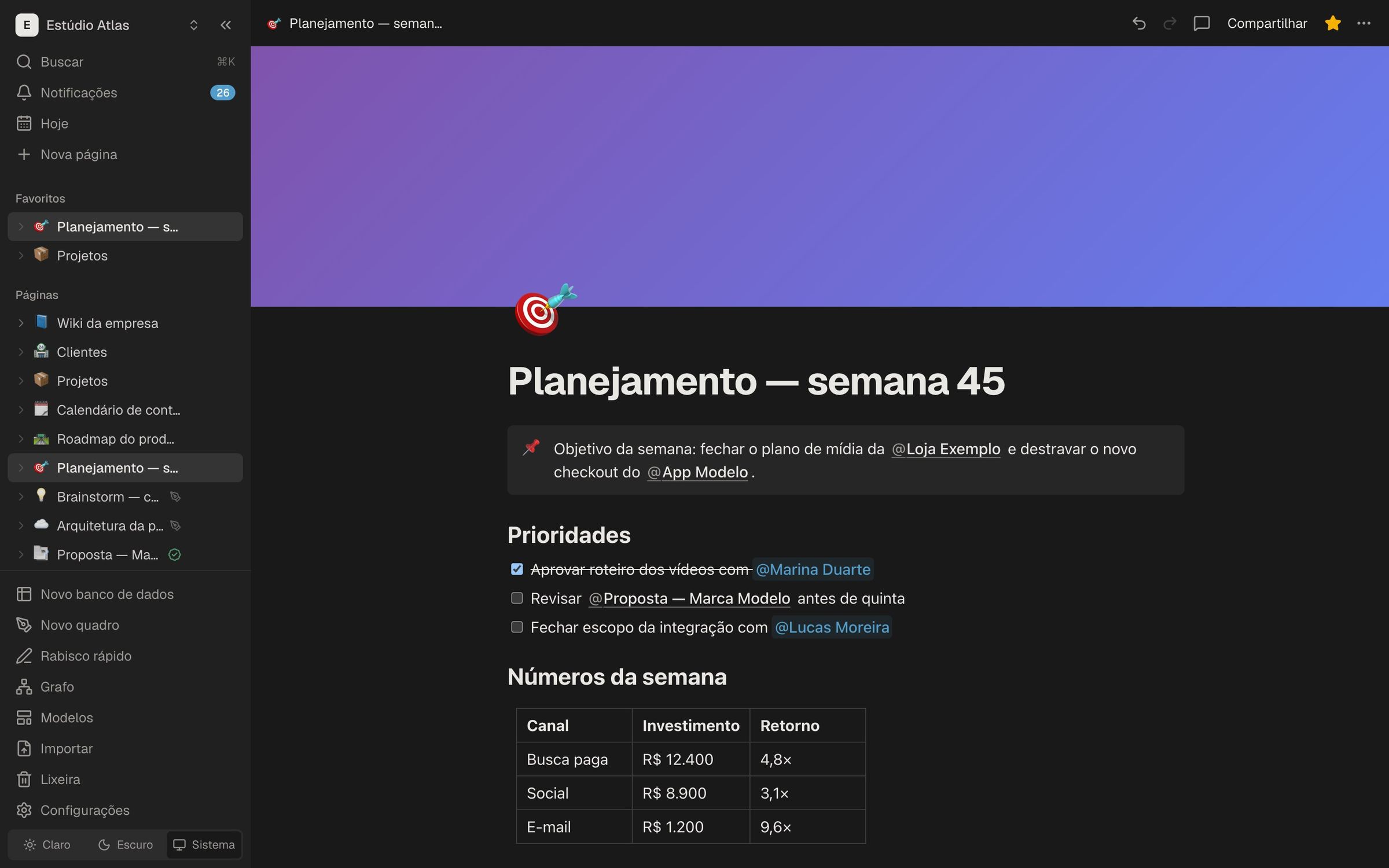
Planning, positioning, audience research and meeting notes — written together, live, and delivered in a link.
- Real-time editing with cursors, comments and @mentions
- Templates for plans, briefs, proposals, meeting notes and reports
- Publish to the web, read-only — instead of a PDF lost in someone's inbox
- Version history to go back at any time
Every page, with the people who need it.
Groups by department, restricted pages for anything strategic and freelancers only in what they need to see.
- Groups Strategy, Creative, Media and Leadership
- Contracts, finances and strategy restricted — hidden from everyone else's search and AI
- Freelancers as members of just the project — or in a space of their own
- Clients see only what you publish to the web
And when you need to get organized, you can.
Notas doesn't want to be your task manager — it works alongside ClickUp, Asana or Trello. But when a database does the job, it's right here.
One database, seven ways to see it.
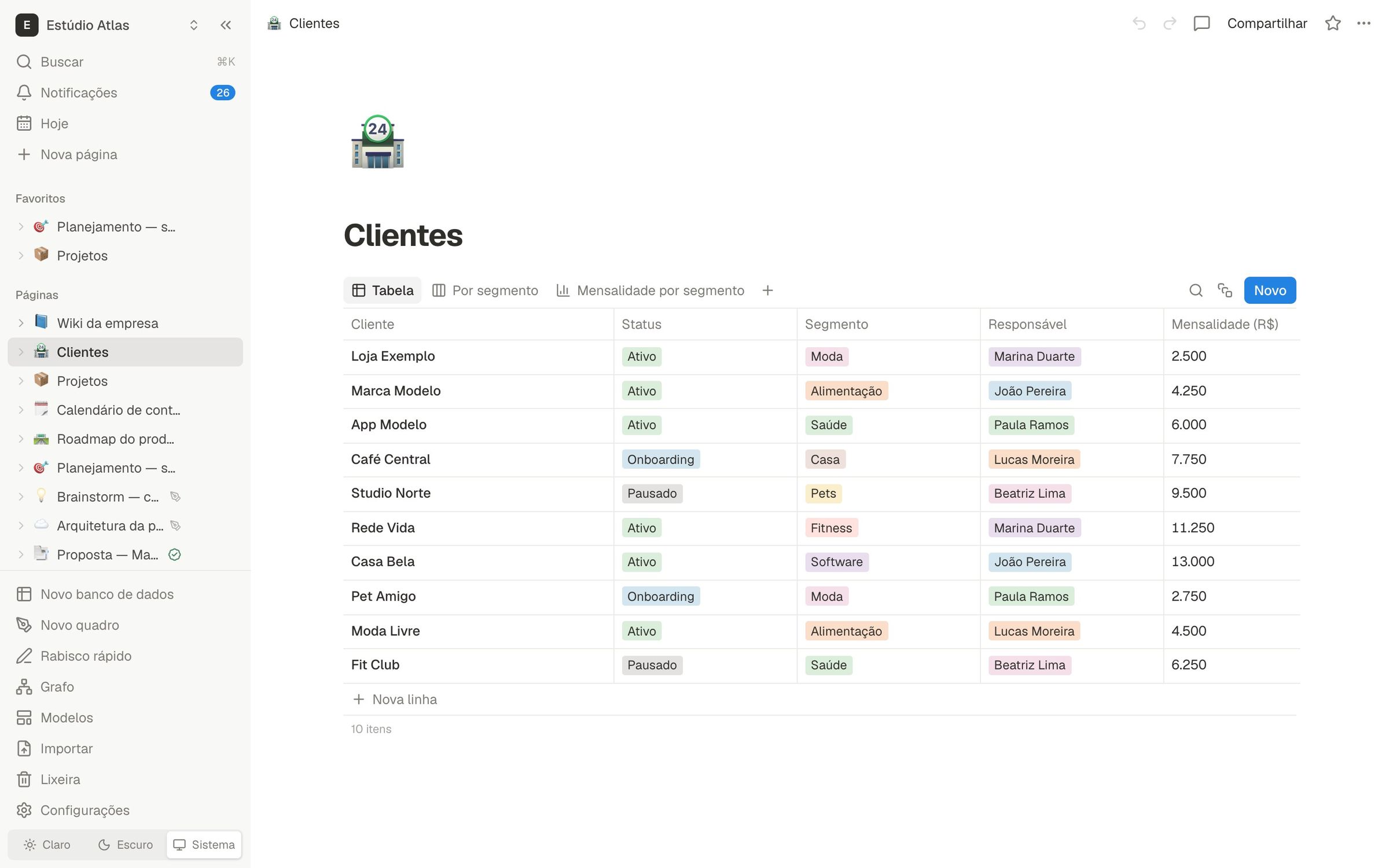
Clients, campaigns, content, leads: any list becomes a database — and the same information shows up as a board, table, calendar, timeline, list, gallery or chart.
- Relations between databases and totals calculated automatically (sum, average, % complete)
- Filters, sorting and saved views per person
- AI queries and creates rows via MCP
From script to published.
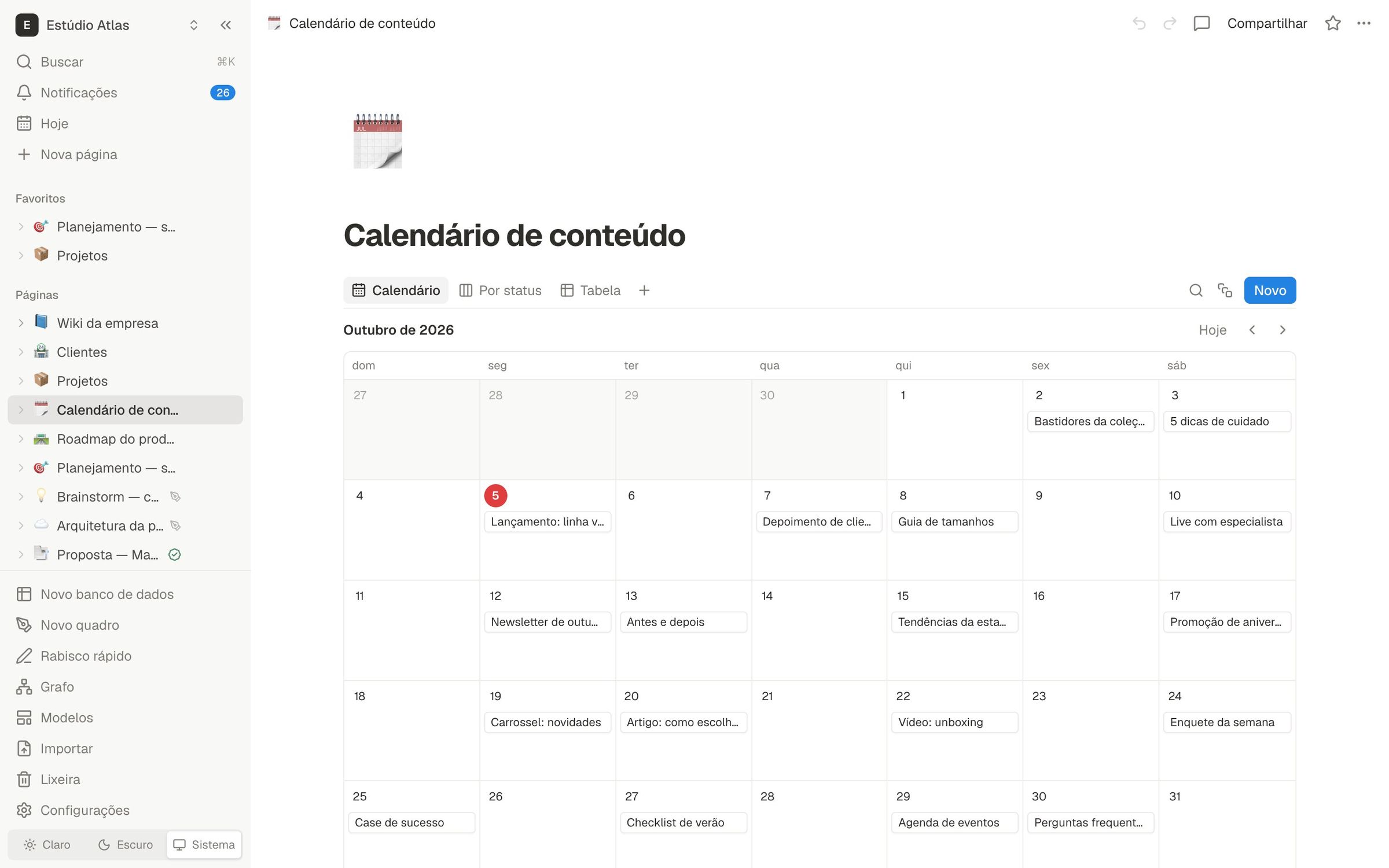
If your agency wants, the content calendar can live here too: the same posts by date, by status or as a gallery of assets.
- Calendar by publish date, channel and format
- Board by status: Script → Production → Approval → Scheduled → Published
- Gallery to see the assets; chart for status
Review in a link.
Publish the page to the web with comments on: the client reads and comments without creating an account. For formal approval, with proofs and scope, use your agency's approval tool.
- Share → Publish to web and turn on Allow comments
- Inline comments and @mentions within the team
- Unpublish, and the link stops working instantly
How you work, written down.
Onboarding, meeting notes, proposals and plans with ready-made templates — and verified processes that AI follows too.
- Agency wiki with owners and review dates
- 54 page and board templates
- Onboarding checklist for new hires
Works with what you already use.
Tasks in your task manager, knowledge in Notas. Import CSV and Markdown, connect any AI via MCP and automate with the API.
- Import from Notion, Obsidian, Drive and spreadsheets
- Miro board migration with help from our team
- REST API and MCP with per-person keys
Your agency's brain up and running in 2 weeks.
A proven plan. If you'd like, our team handles the migration alongside you.
What agencies ask.
Didn't find your question? The Help center has the full guide.
Does Notas replace my task manager?+
That's not the idea. Use ClickUp, Asana or Trello for tasks — Notas is where your agency thinks and keeps what it knows. If it makes sense, databases with board and calendar views are here too.
How does AI learn each brand's voice?+
It doesn't “learn” on its own: before writing, it reads the brand's verified guide and your AI Context — every time. Update the guide, and AI uses the new version right away.
Does it replace Miro?+
For brainstorms, moodboards, flows, org charts, journeys and presentations, yes — with the board right next to your docs. Miro boards can be migrated with help from our team.
What about Obsidian?+
We took the best of it — links between pages, the graph and daily notes — and added teams, permissions and connected AI. And you can export everything to Markdown whenever you want.
Can AI see confidential stuff?+
No. AI uses the key of whoever connected it and only sees what that person can see. Restricted pages don't exist for it.
Can clients see anything?+
Only what you publish to the web, read-only — with comments, if you want. Everything else stays inside the agency.
Let's build your agency's brain.
We'll show you Notas with your brands and help bring over what's in Notion, Miro, Obsidian and Drive.