Your product's context. In one place.
Specs, decisions, architecture and the engineering wiki — all connected, documented for the team and ready for AI to read before writing a single line of code.
Scattered context is expensive.
The spec in one place, the diagram in another and the decision lost in chat. New people can't find anything — and AI codes without knowing what was decided.
Documentation that doesn't rot.
PRDs, ADRs, runbooks and onboarding with owners and review dates. AI prefers what's verified — and warns you when verification has expired.
- Verified badge with an owner and an expiration date
- Templates for PRD, ADR, runbook and Claude Code brief
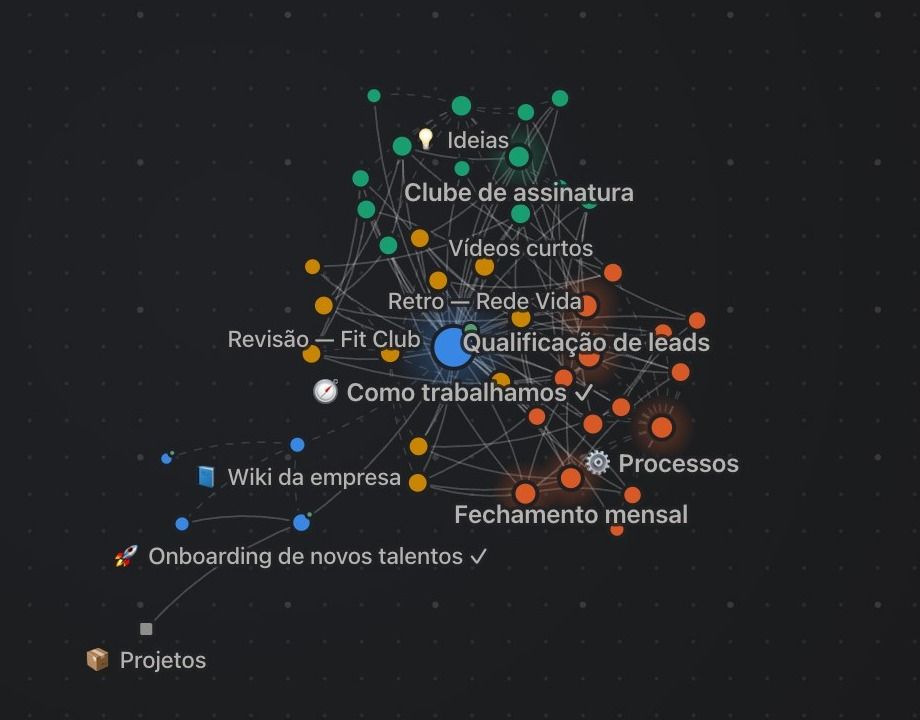
- Search everything with ⌘K, by text or #tag; graph of linked pages
- Inline comments and @mentions for team reviews
Your product's second brain. And your AI's.
PRDs, ADRs, meetings and the engineering wiki become the context AI checks before answering — or writing code.
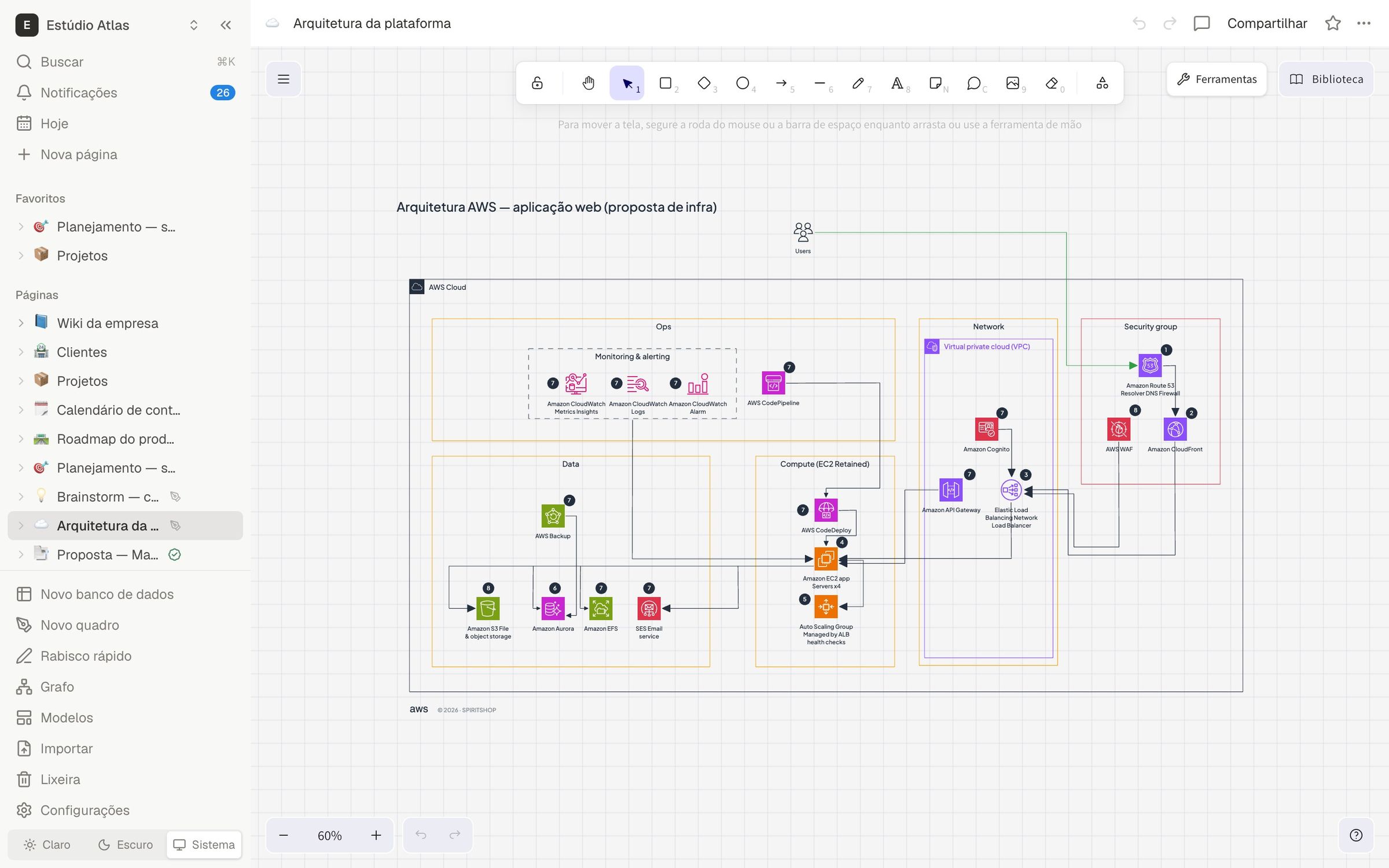
Living diagrams, right next to the decisions.
Build your architecture on a board with the official AWS icons — or have AI draw it from Mermaid.
- 806 official AWS icons, fully searchable
- Templates AWS Architecture — web application and Architecture diagram
- Artboards for each view; export to PDF or PowerPoint for the technical review
- The board shows up as a live card inside the PRD and the ADR
AI reads the PRD before writing the code.
Notas speaks MCP, the open standard for AI. Connect Claude Code, Cursor, Claude or ChatGPT — with one key per person, read-only or read and write.
- Start with the Claude Code Brief template
- 17 tools: search, read sections, query databases, create pages and diagrams
- Everything AI writes is kept in version history
- REST API with the same keys, for scripts, n8n and automations
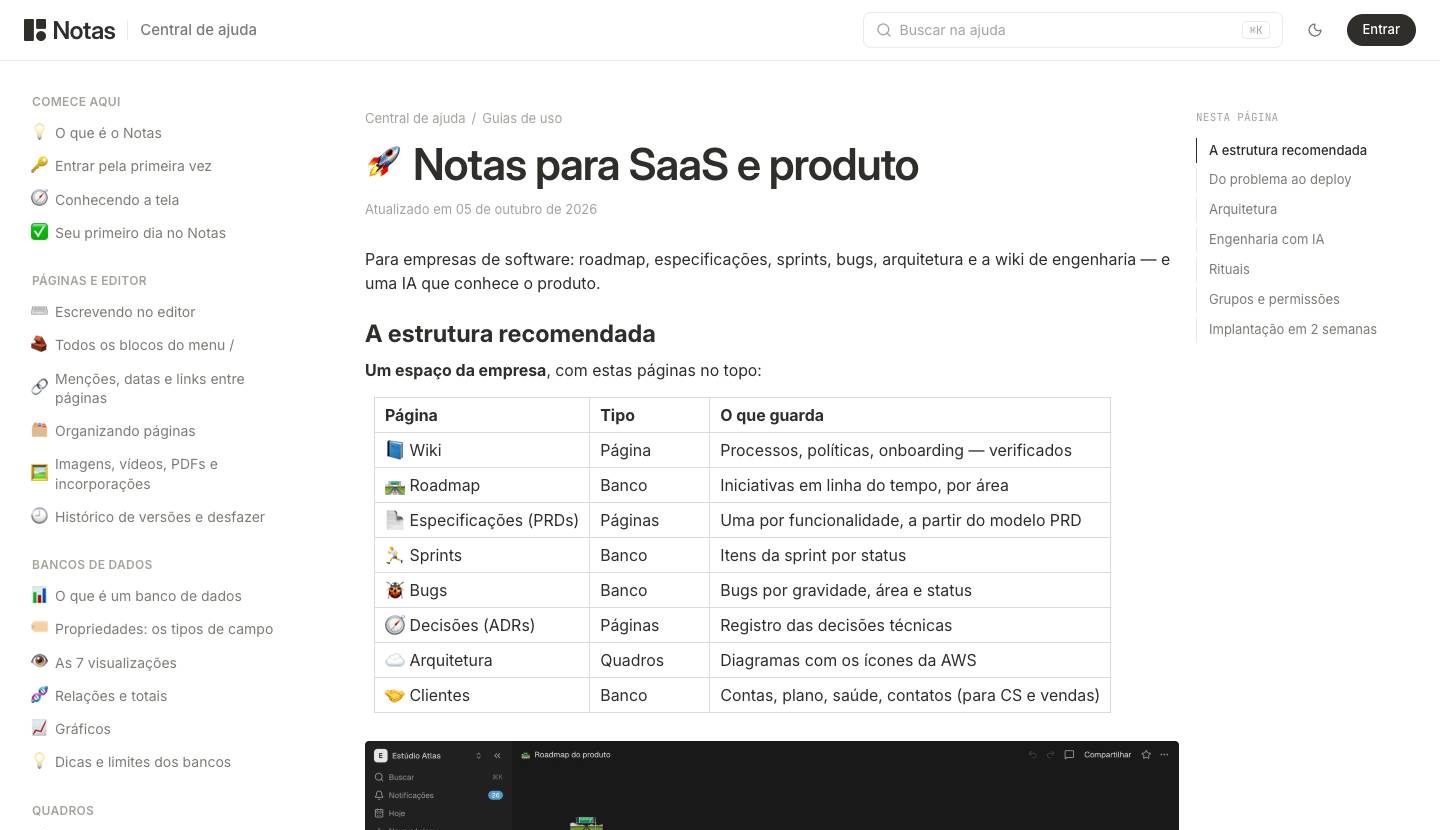
Replaces your wiki and GitBook.
Internal and public docs come from the same place. Write in Notas and publish to the web — no build, no Markdown repo, no extra tool to pay for.
- Internal wiki for the team, with verified pages and search across everything with ⌘K
- Publish to web: the page and all its subpages become a read-only site, in a light or dark theme
- Changelog, API docs and help center — update it in Notas, and it's live
- Visitor comments, if you want; unpublish, and the link stops working instantly
- AI writes and updates articles via MCP, based on the PRD and the code
Confidential stays confidential.
Compensation, contracts and investor info in restricted pages. Each AI gets its own key — and the same access as whoever connected it.
- Restricted pages disappear from search and AI for anyone without access
- Per-person keys, read-only or read and write, revocable instantly
- Anyone who leaves the space loses their keys automatically
- Database hosted in São Paulo; export everything to Markdown whenever you want
And when you need to get organized, you can.
Notas doesn't want to be your Jira. But when a database does the job — roadmap, sprints, bugs — it's right here, connected to your docs.
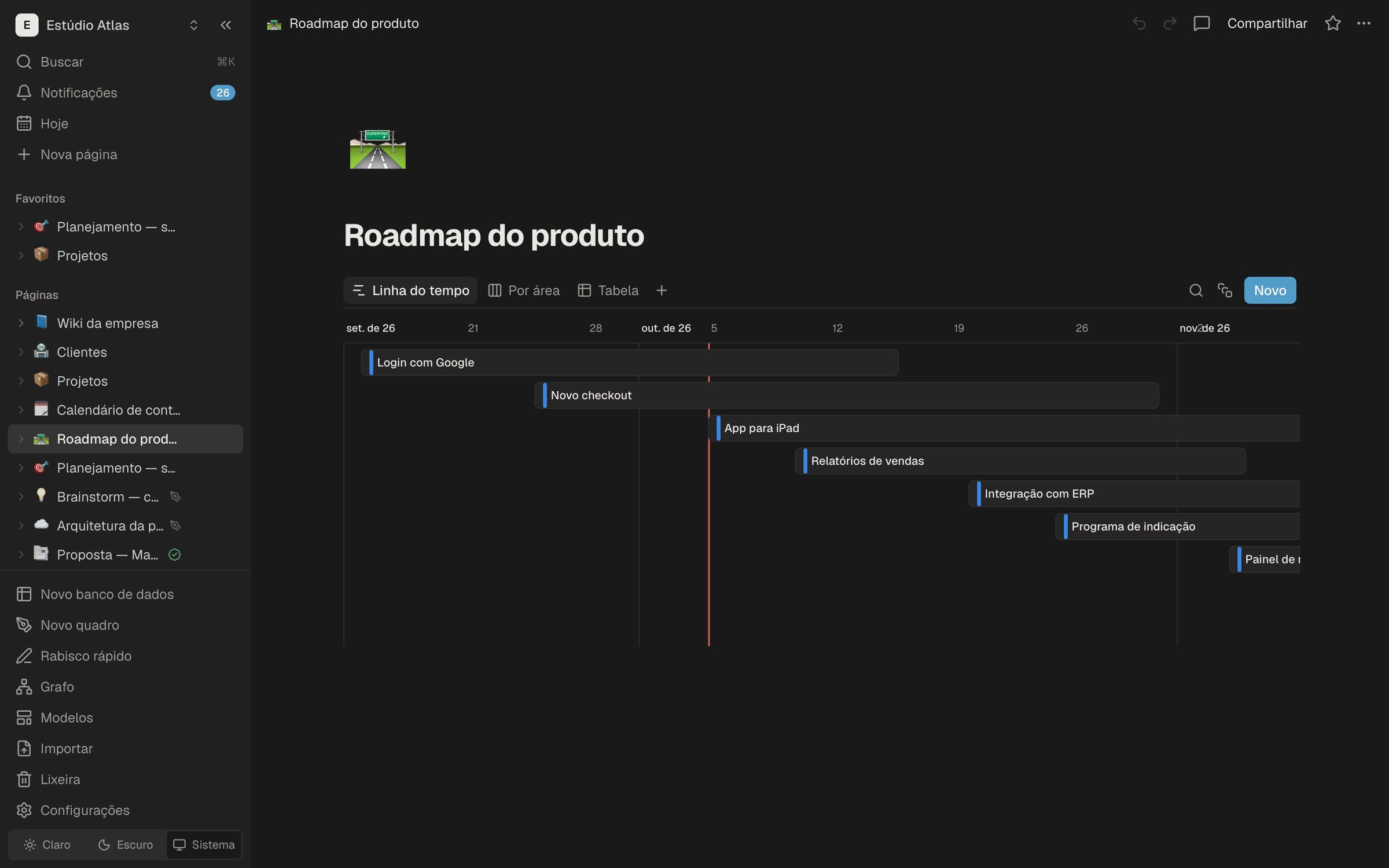
A roadmap that updates itself.
Roadmap, sprints and bugs as connected databases: progress rolls up from tasks, not from a slide.
- Timeline by area, board for the sprint, table of bugs by severity
- Relations and totals: % complete calculated from tasks
- Chart of bugs by area for the weekly review
Everything connected, step by step.
Each step is a page or a database row that points to the previous one — click through to the decision that explains the code.
- Idea → Roadmap → PRD → ADR → Sprint → Deploy → Bugs
- Mentions and relations between steps
- Ready-made templates for each one
Your team's rituals, with ready-made templates.
From planning to retro, every ritual starts with a template.
- Sprint planning and retrospective
- 1:1s on a restricted page
- Quarterly planning and OKRs
Works with what you already use.
Tasks in Jira, Linear or ClickUp; context in Notas. Import Markdown and CSV, connect any AI via MCP and automate with the API.
- Import from Notion, Confluence and Obsidian
- Miro board migration with help from our team
- REST API and MCP with per-person keys
Your product context in place in 2 weeks.
Bring the docs and diagrams you already have. If you'd like, we'll do the migration with you.
Can it replace our wiki or GitBook?+
Yes. Your internal wiki lives in Notas, with verified pages and search. For the public, use Share → Publish to web: the page and its subpages become a read-only site, updated instantly. Our help center is built this way. For a portal with your own domain and branding, talk to our team.
Does Notas replace Jira?+
That's not the idea. Keep Jira, Linear or ClickUp for tasks and use Notas for specs, decisions, architecture and your wiki — the context the ticket is missing. If you want, roadmap and sprints fit here too, as databases.
Does it work with Claude Code, Cursor and ChatGPT?+
Yes, via MCP. Create a key in Settings → Connect AIs, paste the URL into your client, and AI can search, read and write in Notas with your permissions.
Is there an API?+
Yes, a REST API with the same keys as the AIs: search, pages, database rows, daily notes. Read-only keys get a 403 on writes.
Can we import from Notion and Confluence?+
Markdown and CSV come in through Import. To migrate pages with subpages, databases, links and images — and Miro boards — our team can help.
Where is the data stored?+
The database is in São Paulo. You can export everything whenever you want: each page as Markdown, databases as tables and a full .zip backup.
Let's build your product's context.
We'll show you Notas with your own documentation and help bring over docs, decisions and diagrams.